RestoSuite Inventory
1 APP Download Links
1.1.1 Restosuite Inventory (Mainland China):
- Android: https://www.restosuite.cn/zh_cn/download-center/RsInventory
- iOS: https://apps.apple.com/cn/app/restosuite-inventory/id6532605302
1.1.2 Restosuite Inventory (Overseas):
- Android: https://play.google.com/store/apps/details?id=ai.restosuite.inc.inventory.sea
- iOS: https://apps.apple.com/app/
2 Purchase Requisition
2.1 Function Overview
This function enables warehouse staff at central warehouses or store clerks to place orders based on stock shortages. It records the materials and quantities requested for purchase, facilitating subsequent inbound verification.
2.2 Function Value
- Focuses only on materials and quantities (not suppliers), improving order efficiency.
- Supports quick ordering via purchase templates for enhanced productivity.
2.3 Application Scenarios
- Central warehouse staff: Initiate regular stock replenishment requests based on physical inventory levels; buyers handle unified purchasing.
- Store staff: Submit orders specifying only materials and quantities (no supplier selection required); the central team processes all orders uniformly.
2.4 Operation Instructions
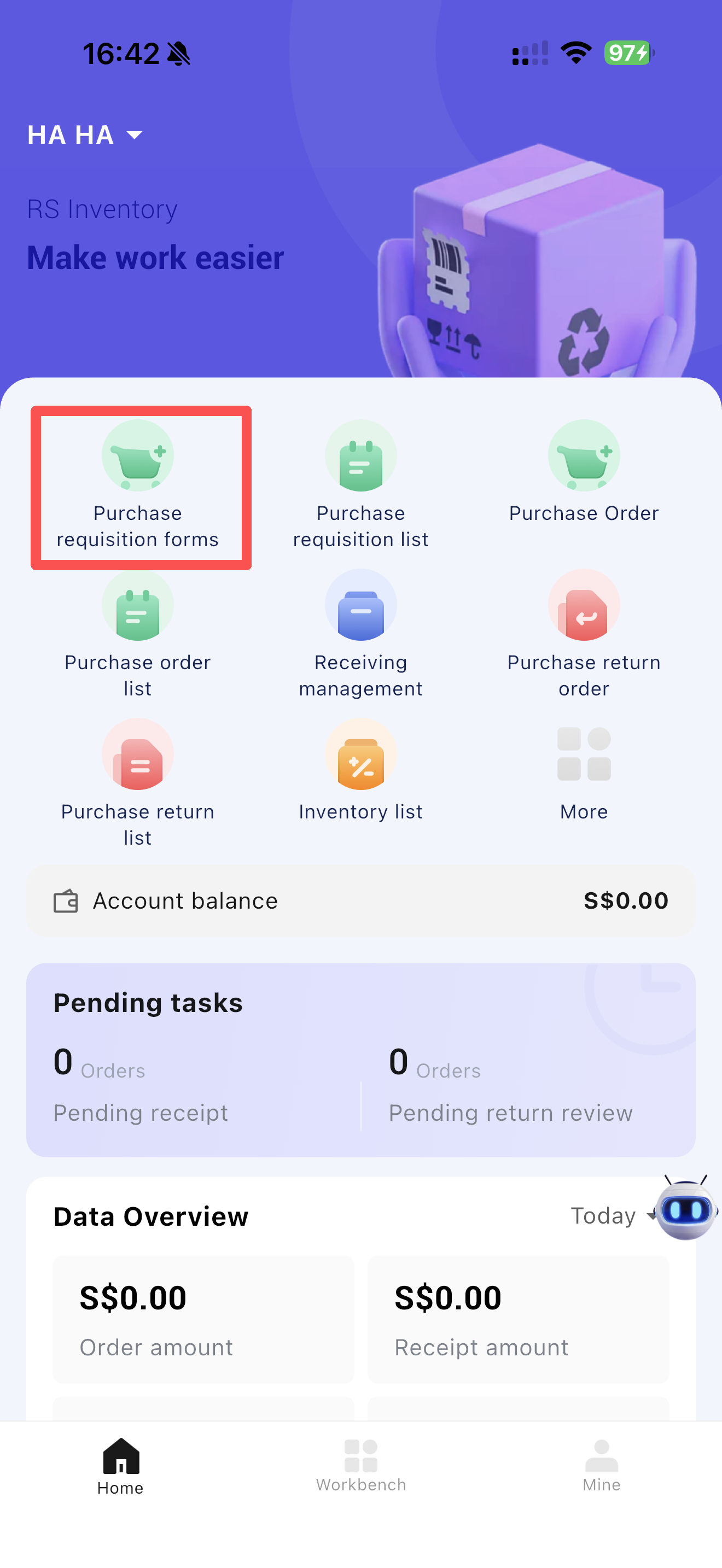
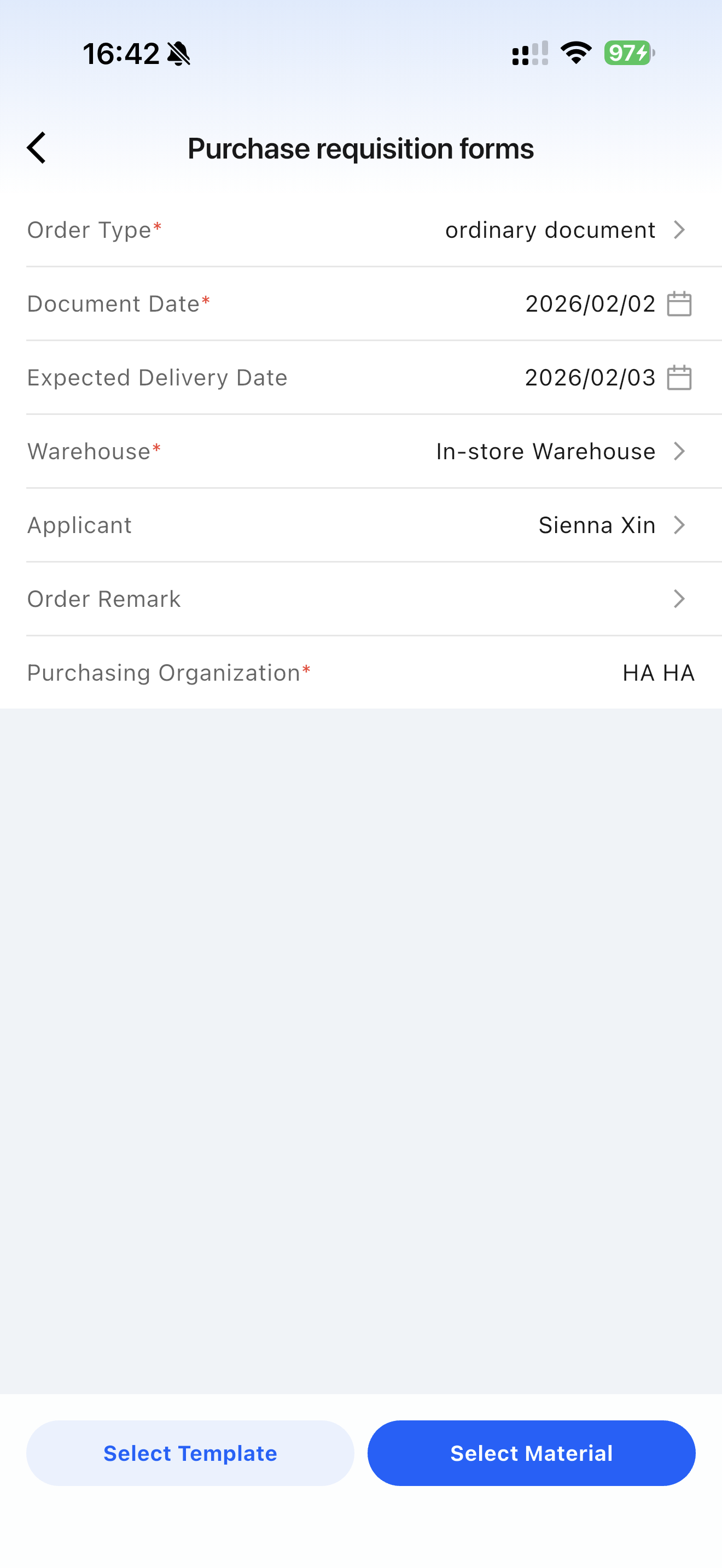
- Click [Purchase Requisition] to create new requisitions via templates or manual entry.
- Supplier information is not required when creating purchase requisitions.
- Multiple requisitions can be batch-assigned to suppliers and converted into purchase orders.
3 Purchase Order
3.1 Function Overview
This function serves as the core document for stores to submit formal purchase requests to suppliers (corporate distribution centers or external vendors). It records purchased products, quantities, and prices, and acts as the authoritative basis for subsequent logistics, financial, and reconciliation processes.
3.2 Function Value
- Replaces verbal or WeChat-based ordering with a systematic workflow (Submission → Approval → Activation), ensuring traceability of all purchasing activities, clear accountability, and compliance with internal control requirements.
- Links orders to supplier contract prices and central unified pricing, preventing unauthorized negotiations or pricing errors to protect company interests.
- Displays current inventory and available stock during order creation to avoid duplicate or excessive purchases.
3.3 Application Scenarios
- Corporate unified distribution: Stores request stock from the central warehouse/distribution center.
- Regular planned purchasing: Long-term cooperative suppliers with fixed procurement lists (e.g., daily necessities, packaging materials).
- Emergency purchasing: Stock shortages due to sudden sales peaks or direct purchases from external suppliers.
3.4 Operation Instructions
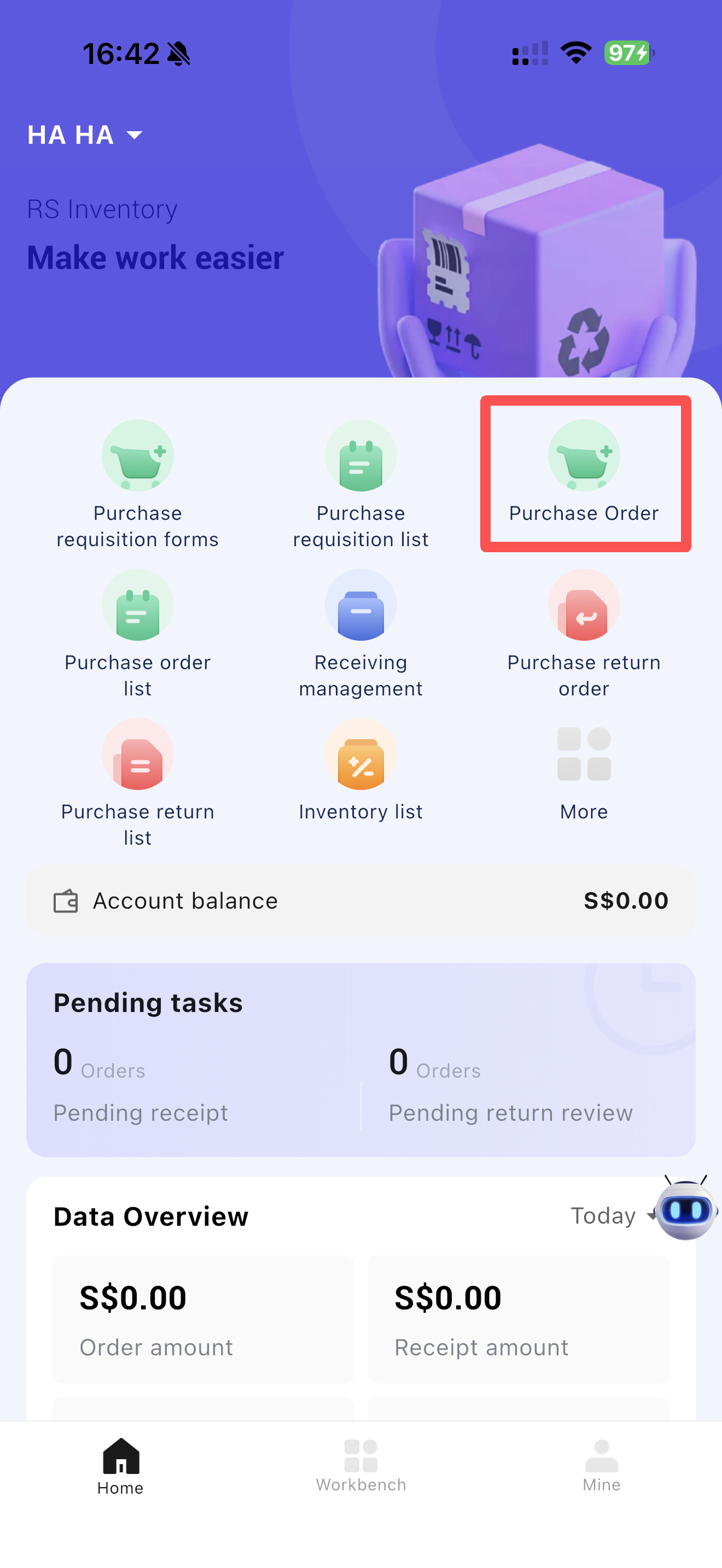
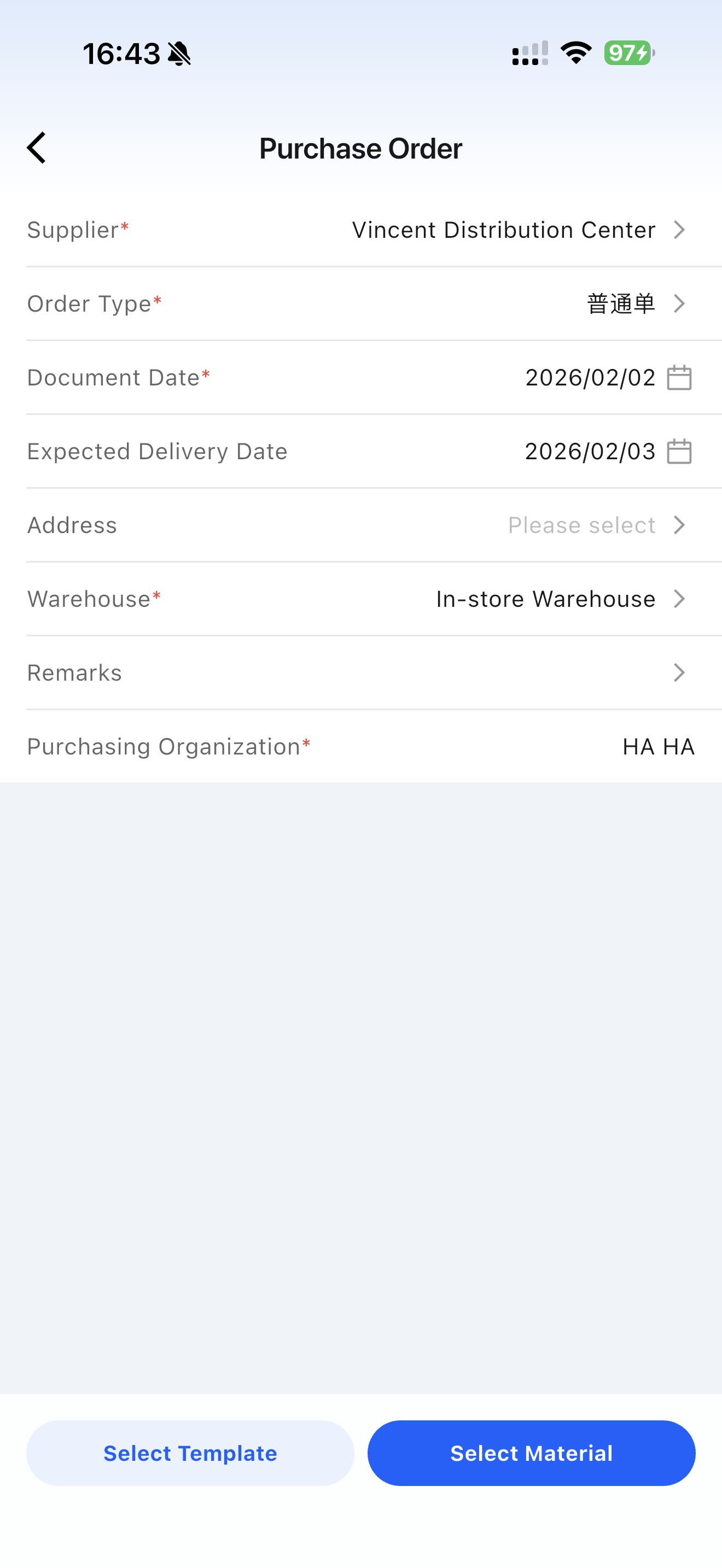
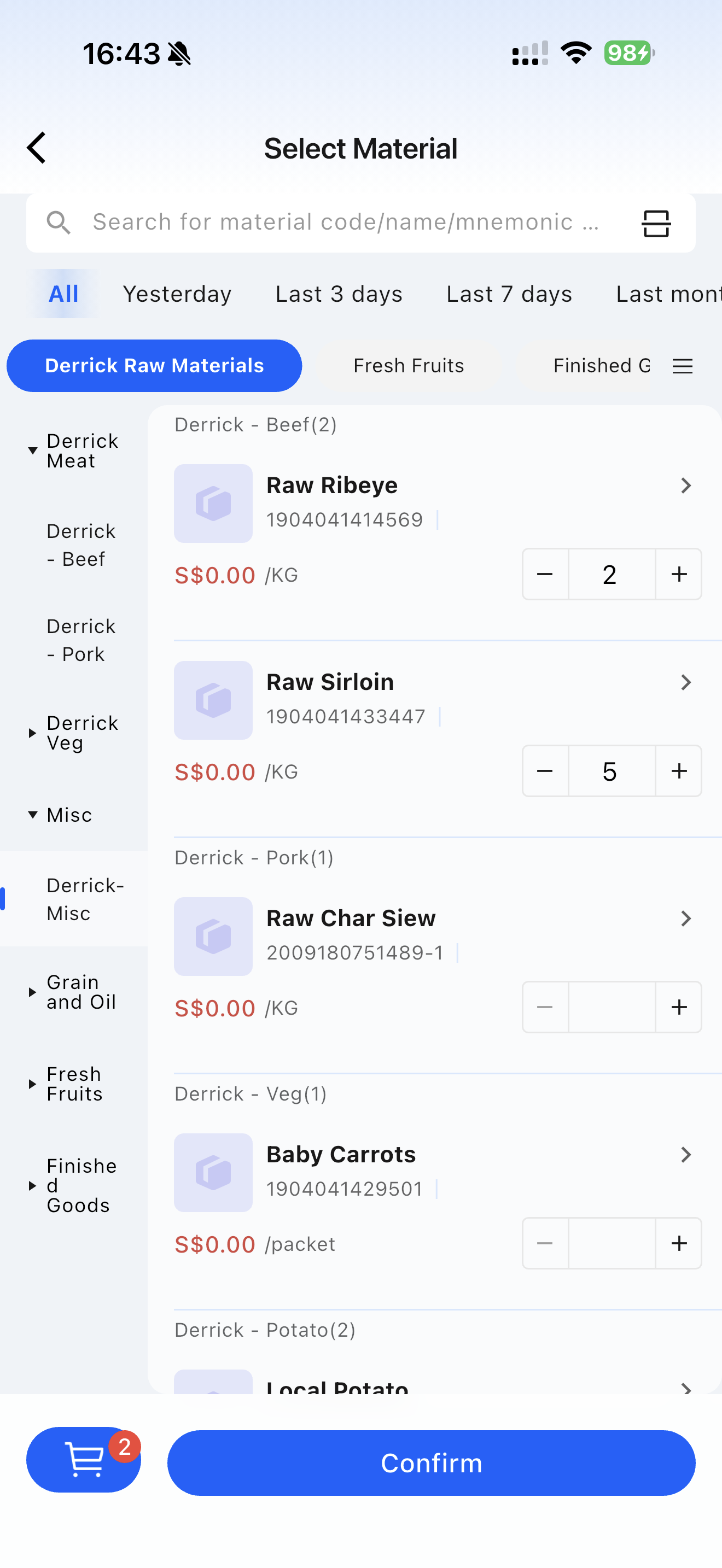
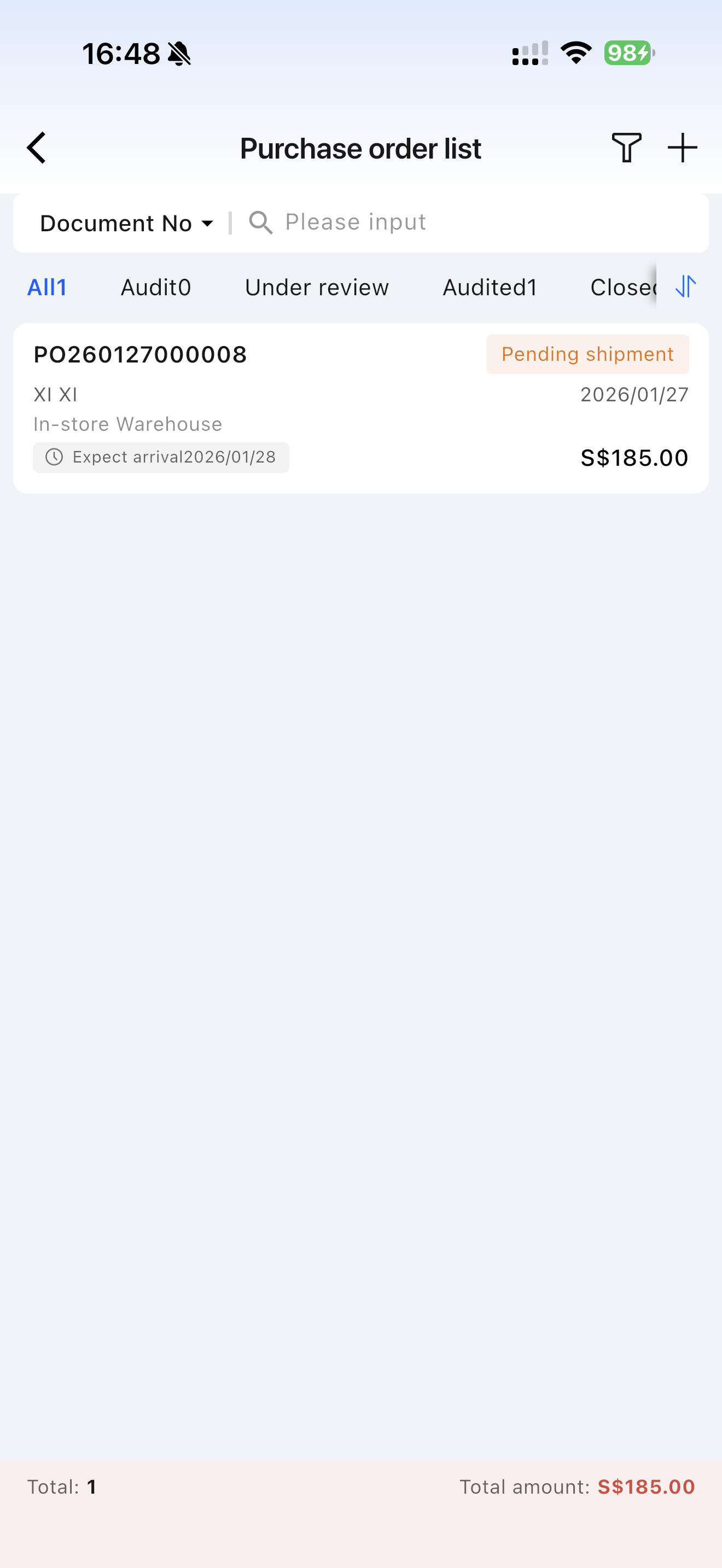
Click [Purchase Order] to create new orders via templates or manual entry.
4 Store Intelligent Ordering
4.1 Function Overview
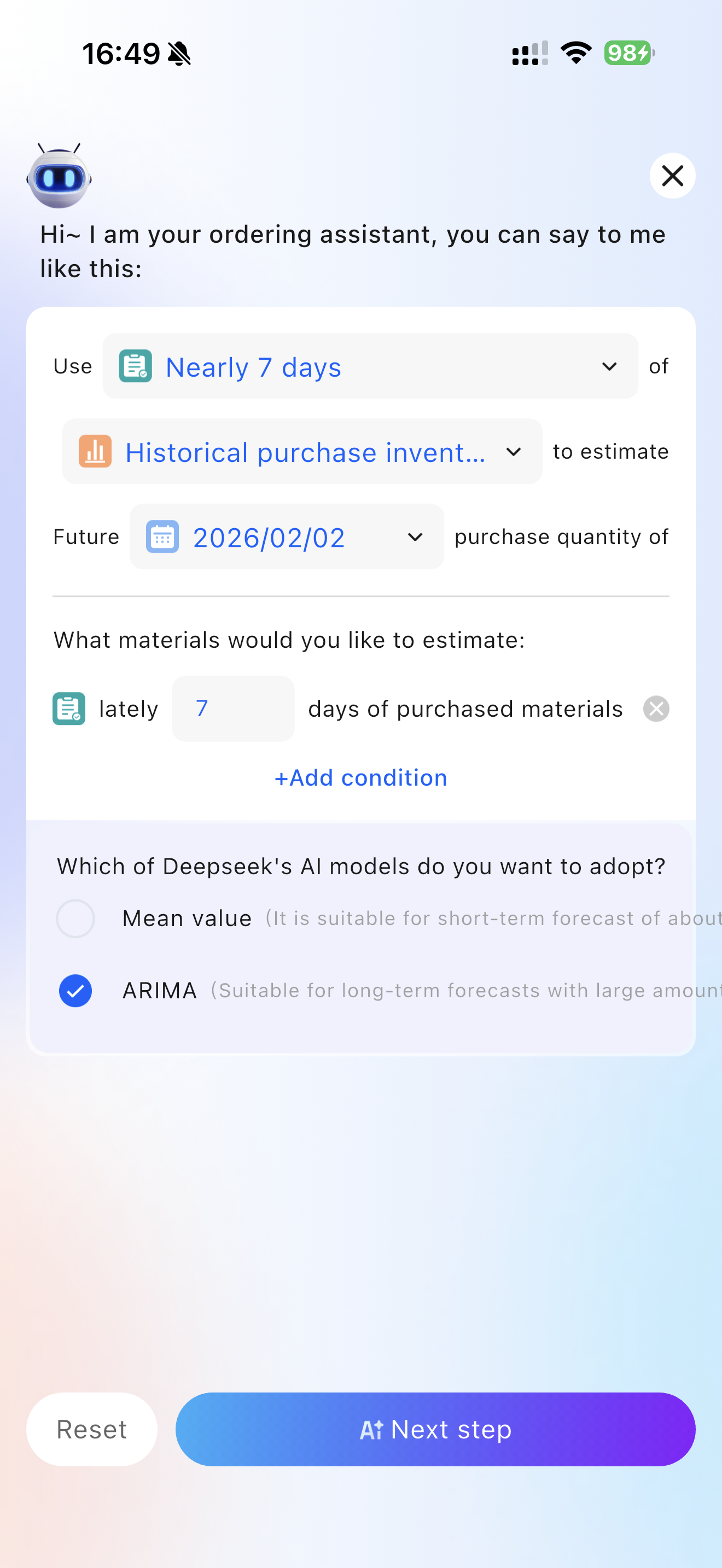
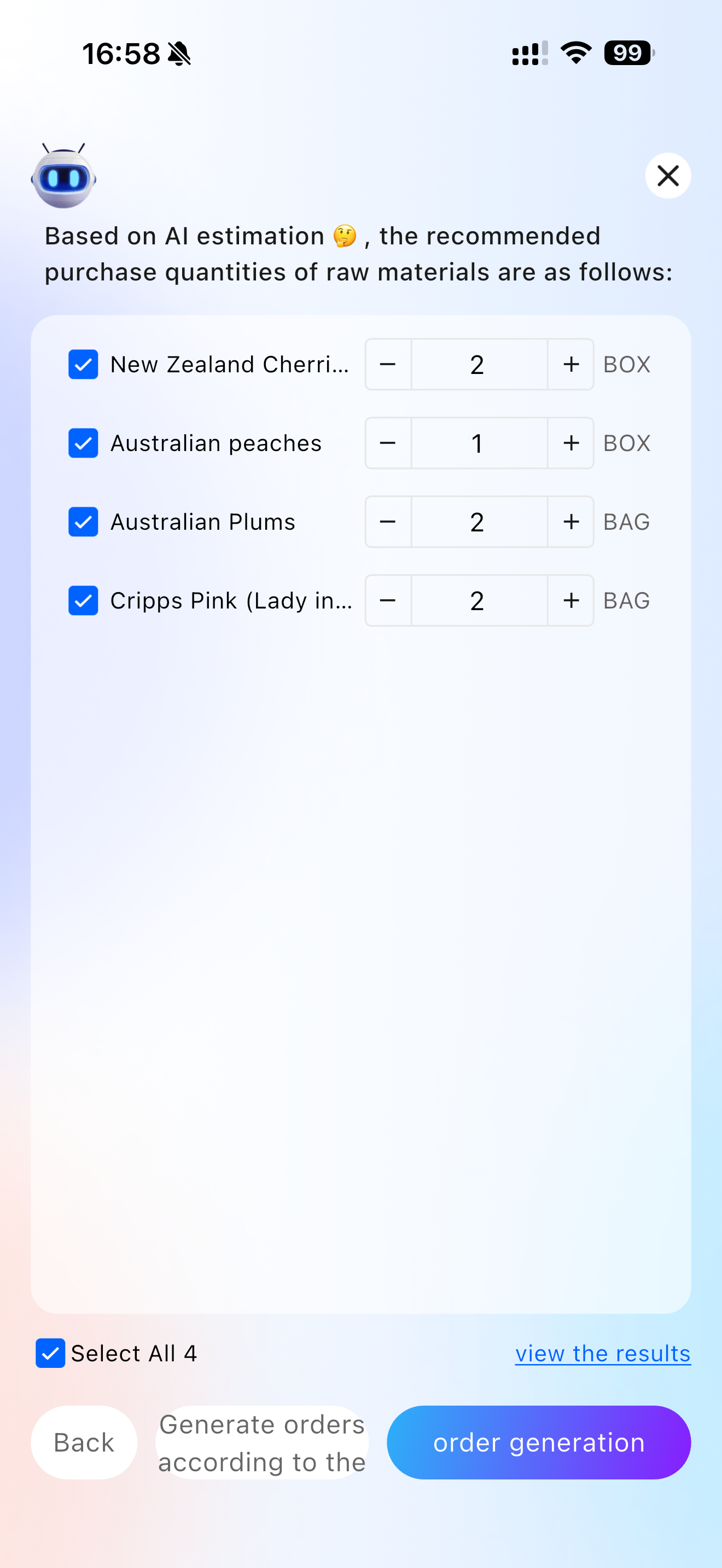
This function uses AI algorithms and current inventory levels to intelligently calculate recommended purchase quantities for future dates. It supports three data sources for estimation: historical purchase inbound volumes, raw material usage derived from historical dish sales, and turnover.
4.2 Function Value
Reduces reliance on staff’s purchasing experience and improves ordering efficiency.
4.3 Application Scenarios
- Daily intelligent replenishment.
- Assistance for new staff.
4.4 Operation Instructions
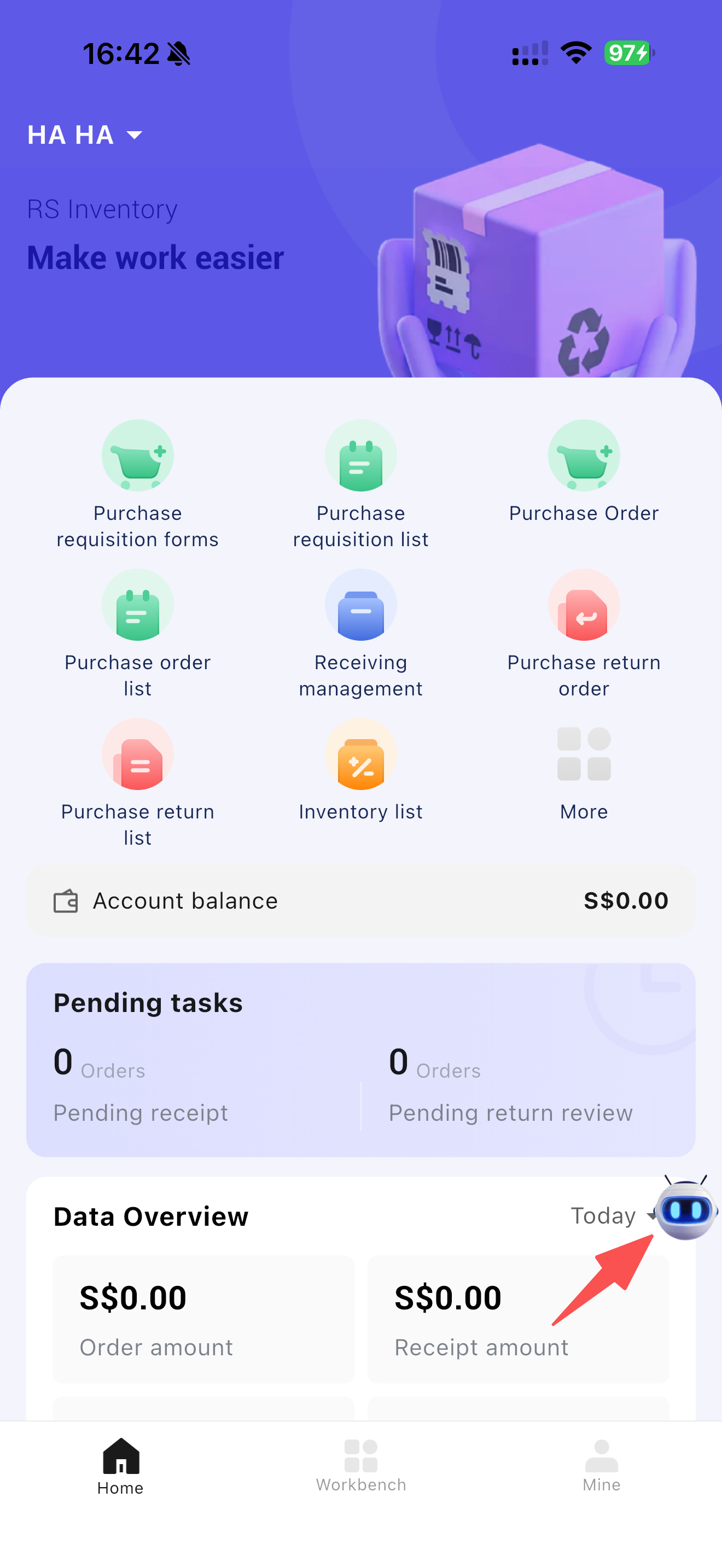
- On the Restosuite Inventory APP homepage, click [Robot] to access the intelligent estimation page.
- Supports three data sources for intelligent calculation: historical purchase inbound volumes, raw material usage derived from historical dish sales, and turnover.
5 Purchase Receipt
5.1 Function Overview
The system supports two types of receipt operations: purchase receipt and transfer receipt. Purchase receipts originate from two sources: purchases from distribution centers (unified distribution or direct shipment) and purchases from external suppliers (direct delivery). To facilitate centralized group control over stores, flexible configuration enables automatic receipt capabilities for stores.
5.2 Function Value
Ensures every inbound transaction is traceable, laying the foundation for “inventory-book consistency” and supporting accurate subsequent sales and purchasing decisions.
5.3 Application Scenarios
- Receipt of unified distribution, direct shipment, or direct delivery orders.
- Transfer receipt between warehouses/stores.
5.4 Operation Instructions
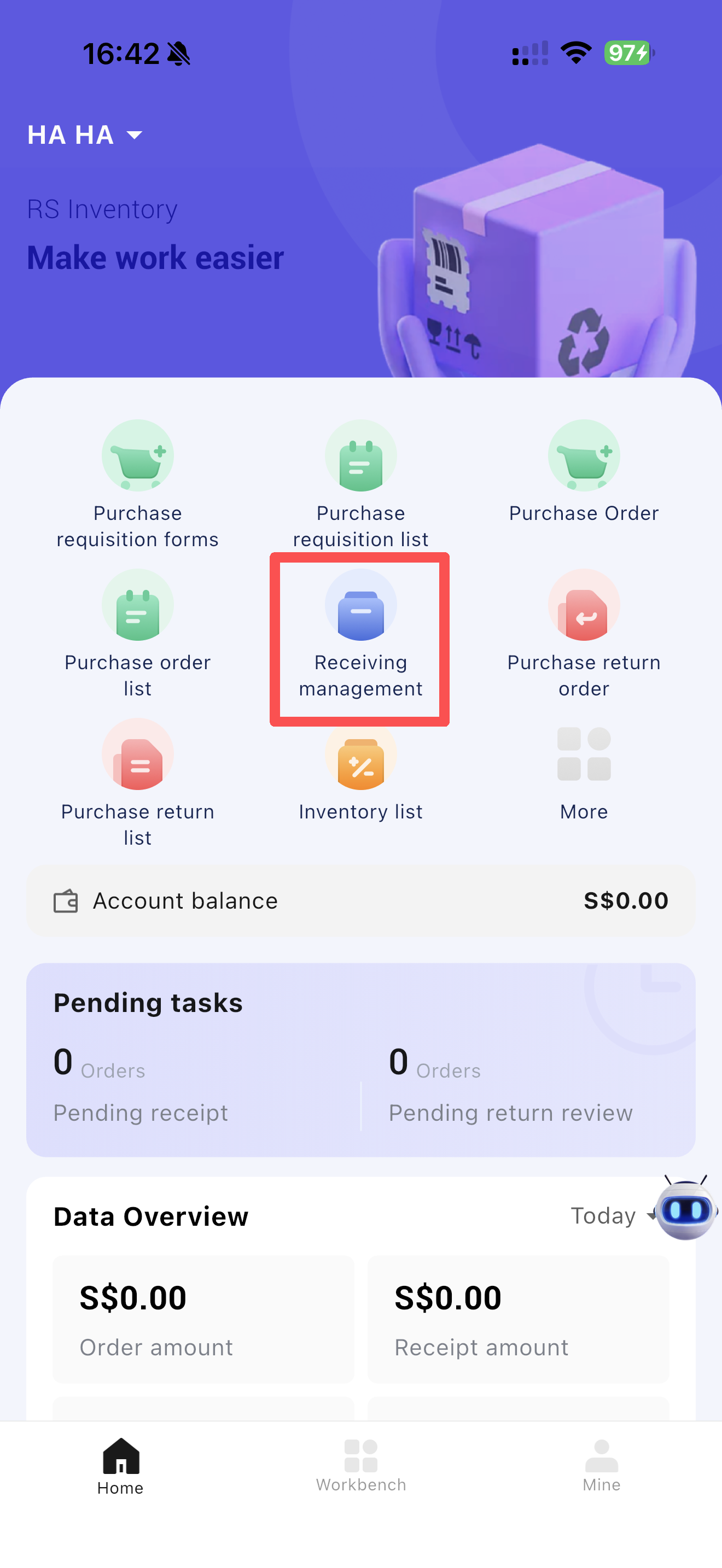
- Click [Receipt Management] on the homepage to access the receipt list. Filter by date; red dots indicate pending receipt documents for the current month.
6 Purchase Return Order
6.1 Function Overview
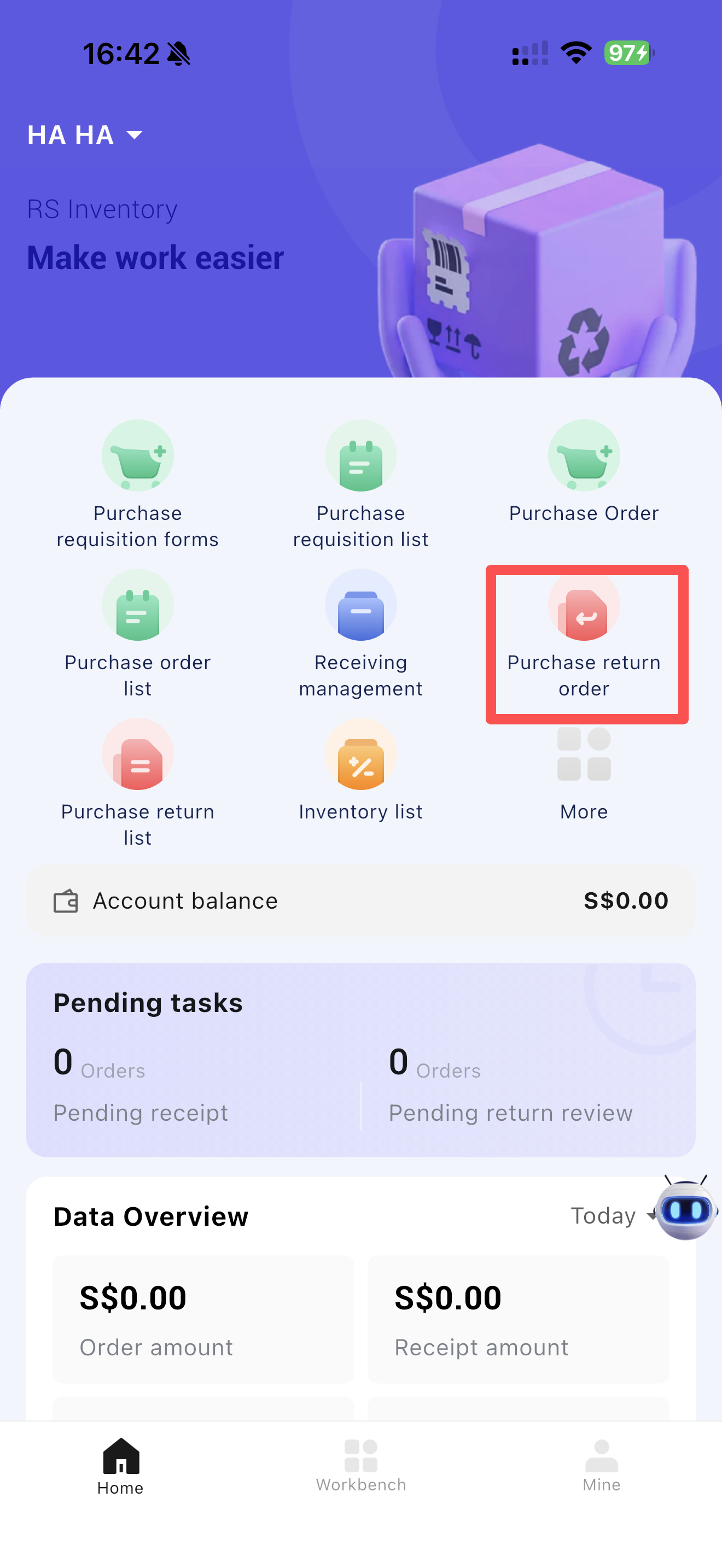
This function is used for returning goods to suppliers. Returns can be linked to original inbound orders (with prices automatically populated from the inbound order) or created manually without a source order. For manual returns, prices are determined in the following priority: last inbound price → last return price → latest quote (fixed price from supplier agreement/distribution contract) → manual entry.
6.2 Function Value
Supports multiple return modes to meet the needs of enterprises with different management maturity levels. Records return information for easy reconciliation with suppliers.
6.3 Application Scenarios
- Returns to distribution centers or suppliers due to inventory overstock, incorrect deliveries, or quality issues.
- Returns with or without reference to the original inbound order.
6.4 Operation Instructions
7 Inventory In/Out Orders
7.1 Function Overview
Provides centralized access to all inventory in/out documents for the current organization, facilitating verification of purchase-sales-inventory data.
7.2 Function Value
Centralizes inventory document access, significantly improving operator efficiency.
7.3 Application Scenarios
- Corresponding inventory documents are generated after business operations, affecting inventory levels.
- Manual entry of inventory documents to adjust inventory data or costs in case of abnormalities.
7.4 Operation Instructions
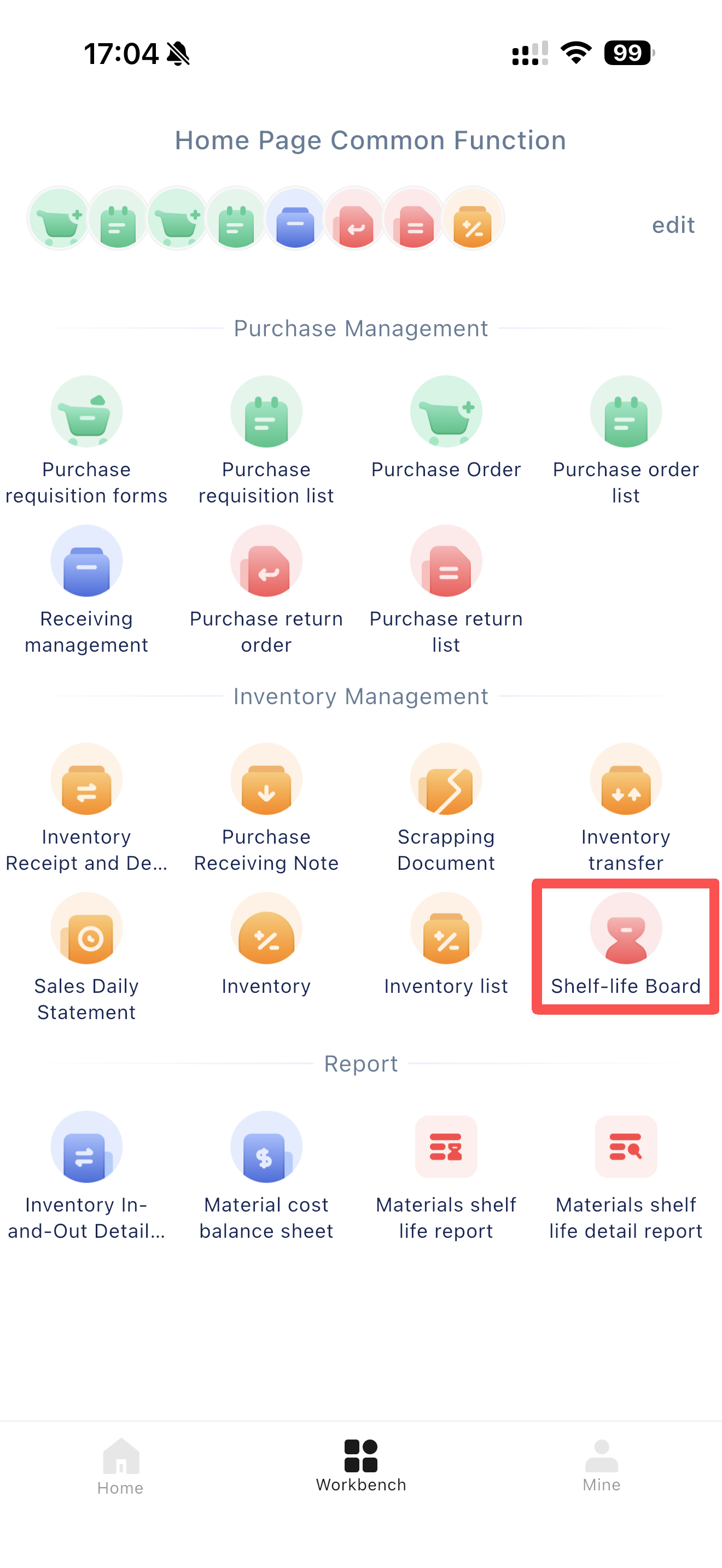
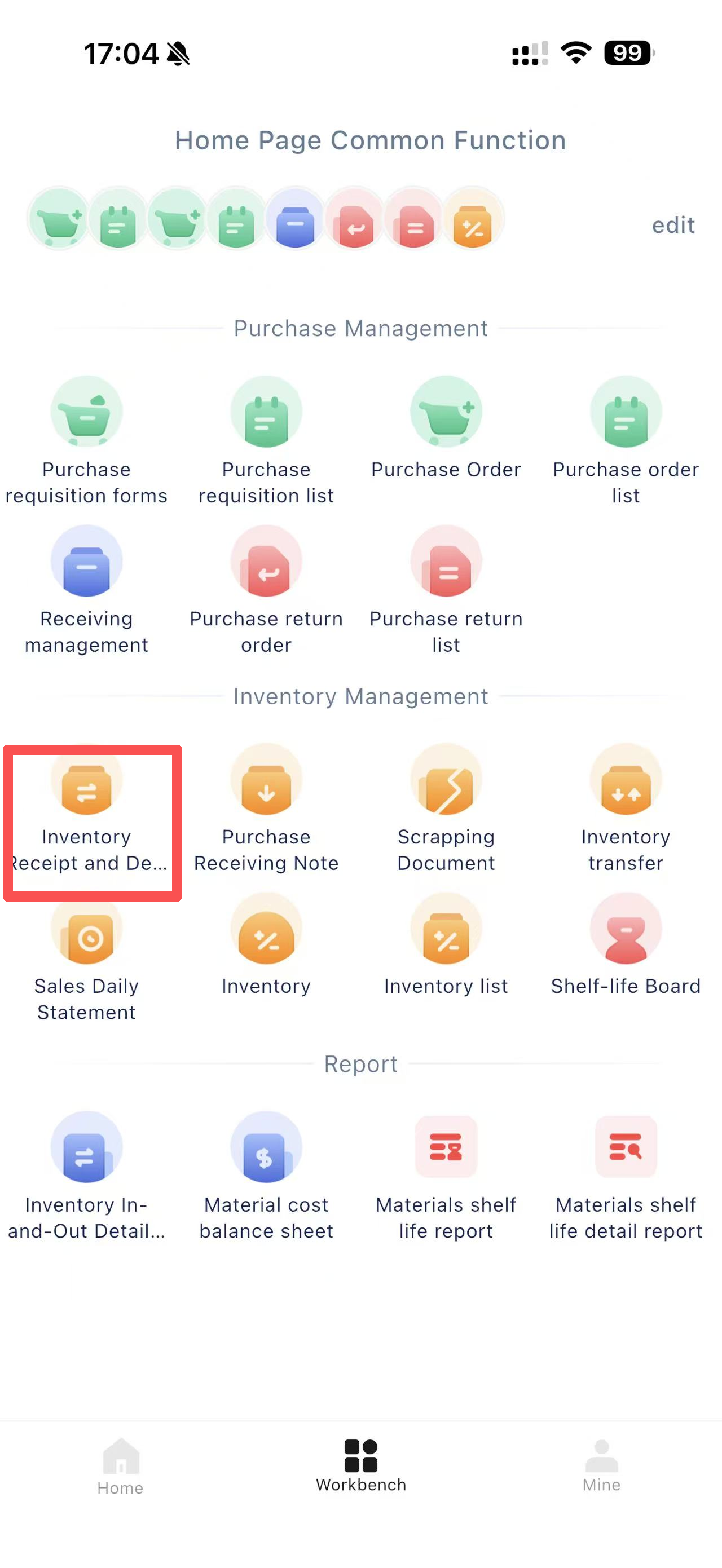
- [Workbench] → [Inventory Management] → [Inventory In/Out Orders], as detailed below:
8 Loss Report
8.1 Function Overview
Handles loss processing in inventory management, widely used for inventory control, cost control, and quality management in enterprises. When inventory items need to be removed due to damage, expiration, or quality issues, they are processed through the loss outbound workflow.
8.2 Function Value
In the food industry, natural deterioration of products due to shelf life is considered reasonable loss. Typically, the reasonable loss rate ranges from 0.5% to 5% depending on the industry, and can be continuously adjusted through data analysis to improve accuracy.
8.3 Application Scenarios
- Records and processes inventory reductions caused by expiration, damage, or loss of materials during procurement, production, warehousing, transportation, or sales due to process requirements or unavoidable reasons.
8.4 Operation Instructions
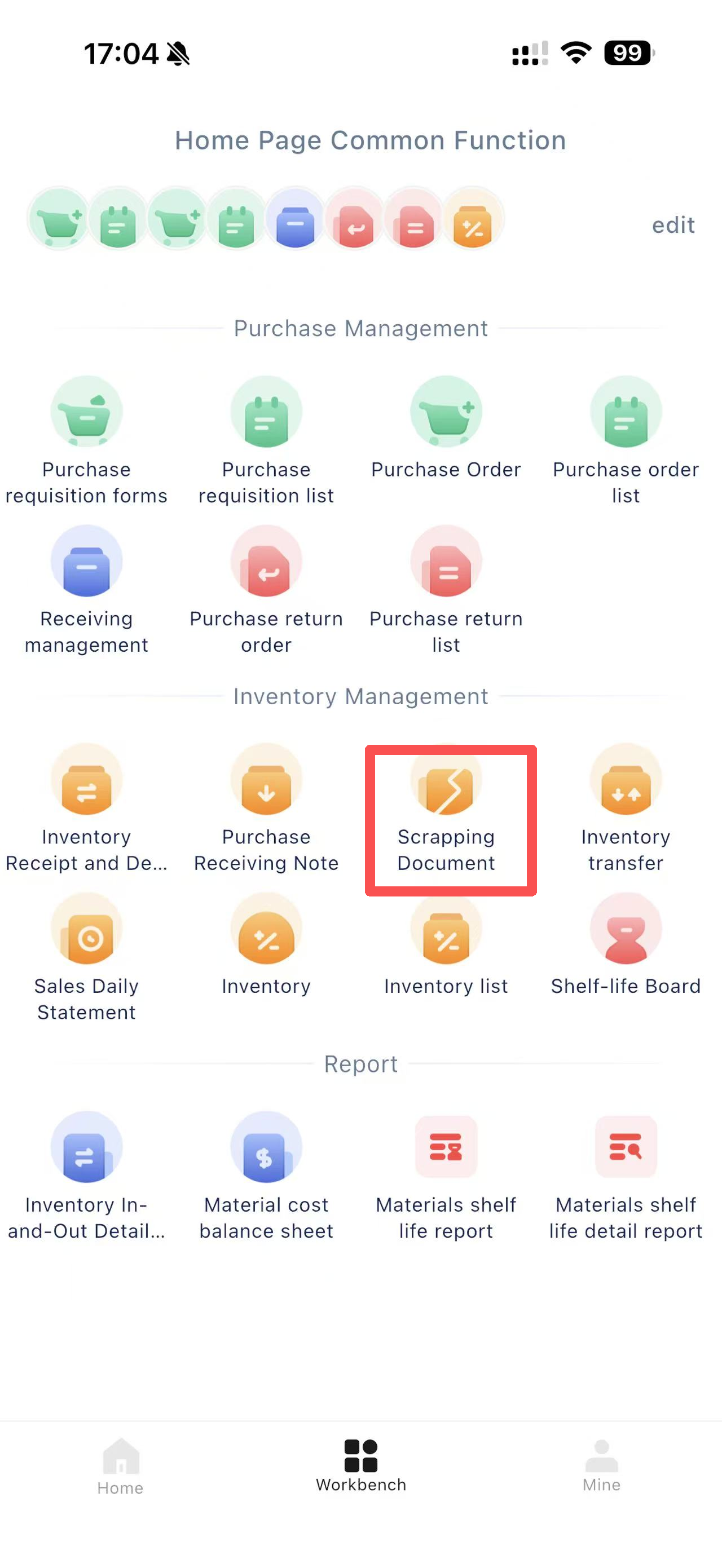
- [Workbench] → [Inventory Management] → [Loss Report].
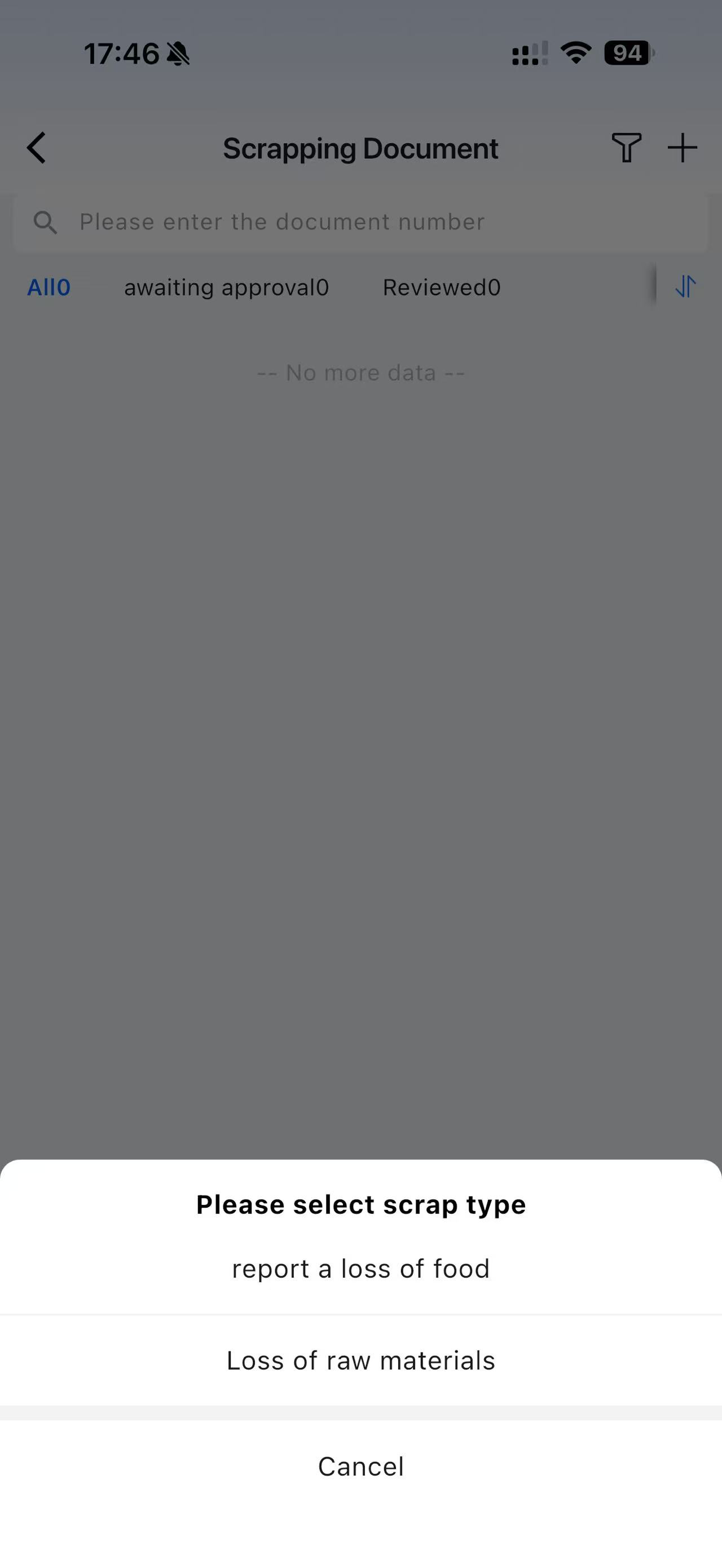
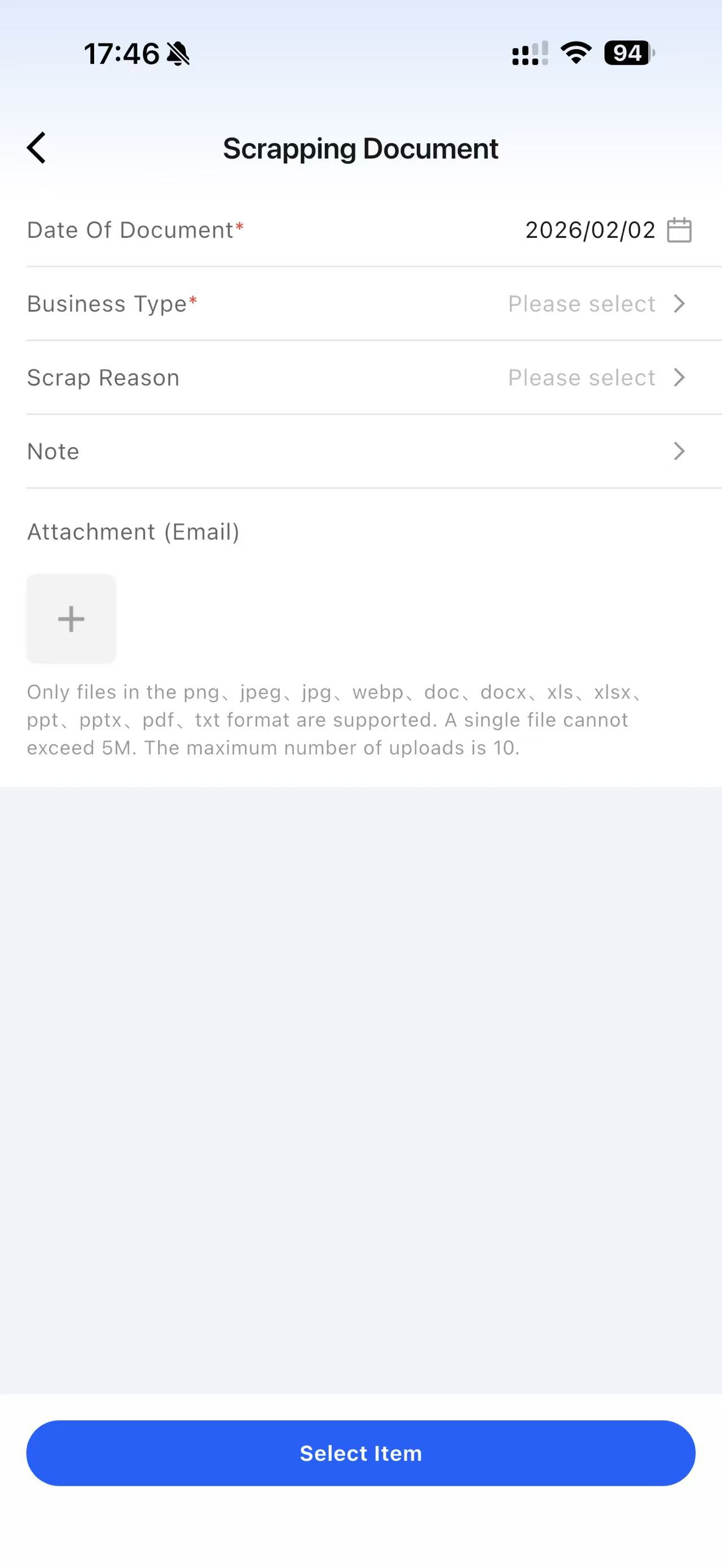
- When creating a new loss report, two business types are supported: [Raw Material Loss] and [Dish Loss]. Selecting [Dish Loss] will deduct corresponding raw materials based on the dish’s cost structure.
- After approval, an [Other Outbound] order is generated with the business type marked as Loss.
9 Inventory Transfer
9.1 Function Overview
Inventory transfer refers to the process of moving materials from one warehouse/location to another within an enterprise or organization.
9.2 Function Value
From a supply chain management perspective, transfer operations are an effective means of resource allocation. Through precise transfers, enterprises can flexibly allocate materials to meet the needs of different regions and stores, avoid inventory overstock and resource waste, and improve supply chain operational efficiency.
9.3 Application Scenarios
- Between chain stores: Stores with low sales volume can transfer inventory to high-turnover stores to reduce waste.
9.4 Operation Instructions
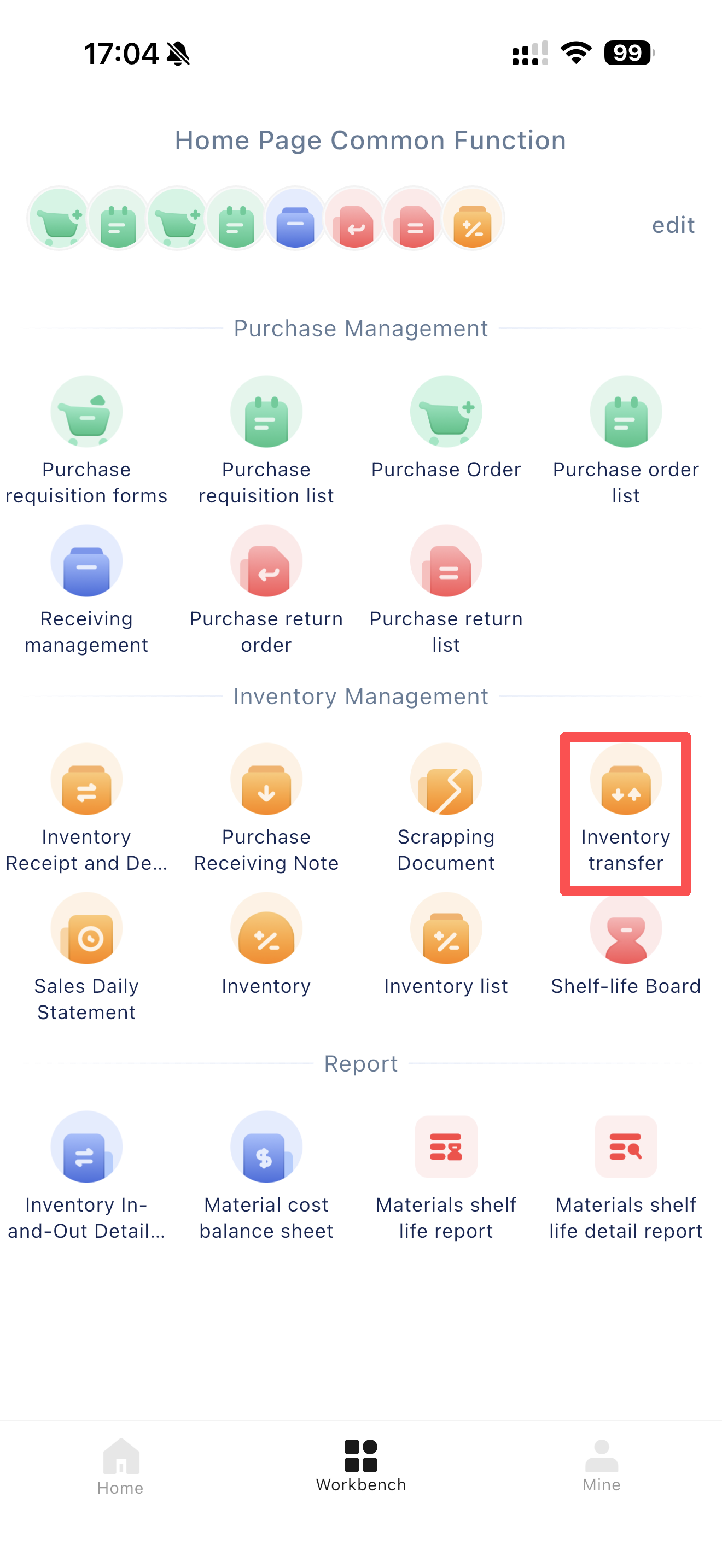
- [Workbench] → [Inventory Management] → [Inventory Transfer]
10 Inventory Count
10.1 Function Overview
Inventory counting involves verifying and reconciling all inventory items of an enterprise. Counts are typically performed at regular intervals (daily, weekly, monthly, etc.).
10.2 Function Value
Inventory counting helps enterprises grasp actual inventory levels, reduce inventory loopholes and abnormal losses, optimize inventory levels and management efficiency, and provide data support for subsequent purchasing and sales decisions.
10.3 Application Scenarios
- To avoid overstock or stockouts, conduct counts of raw materials or semi-finished products and develop purchasing plans or adjust production plans based on actual inventory.
10.4 Operation Instructions
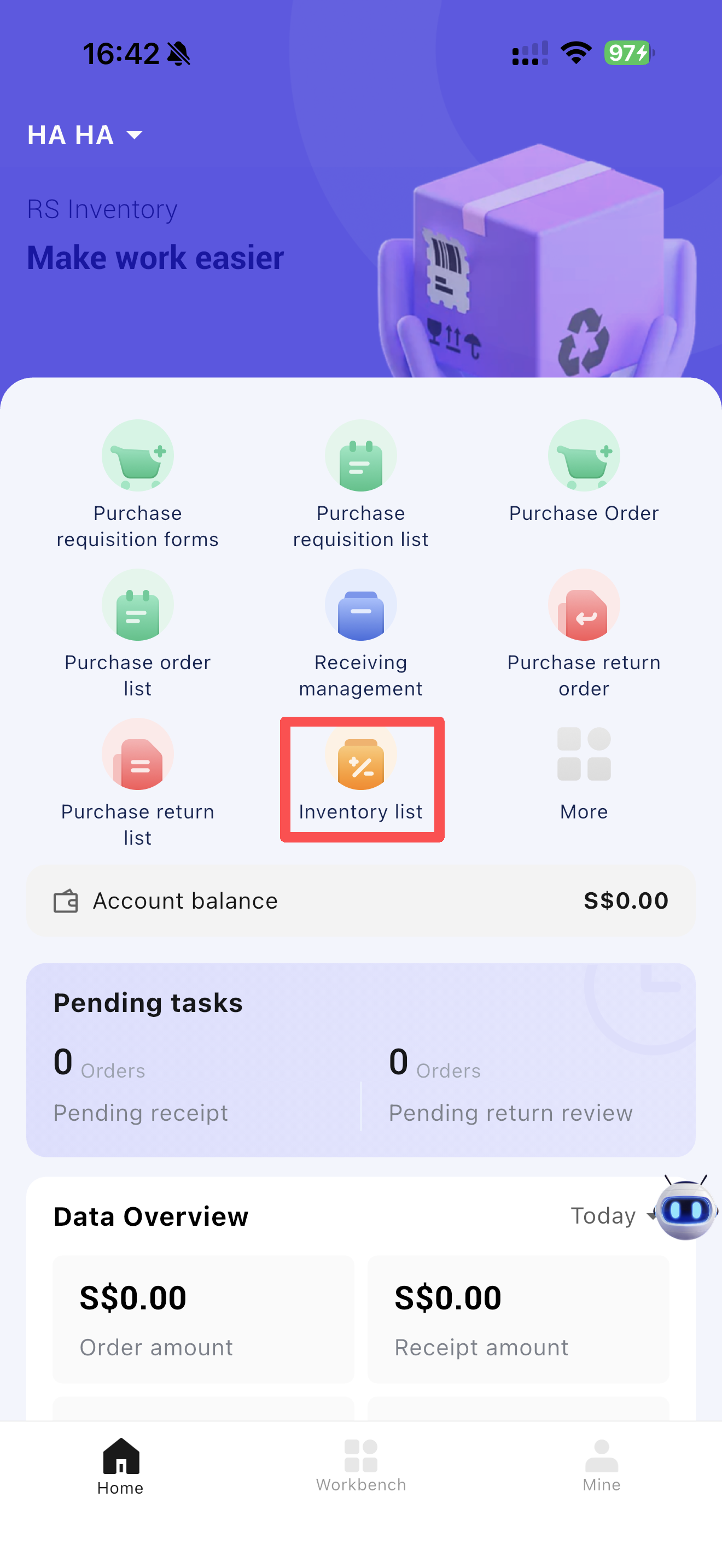
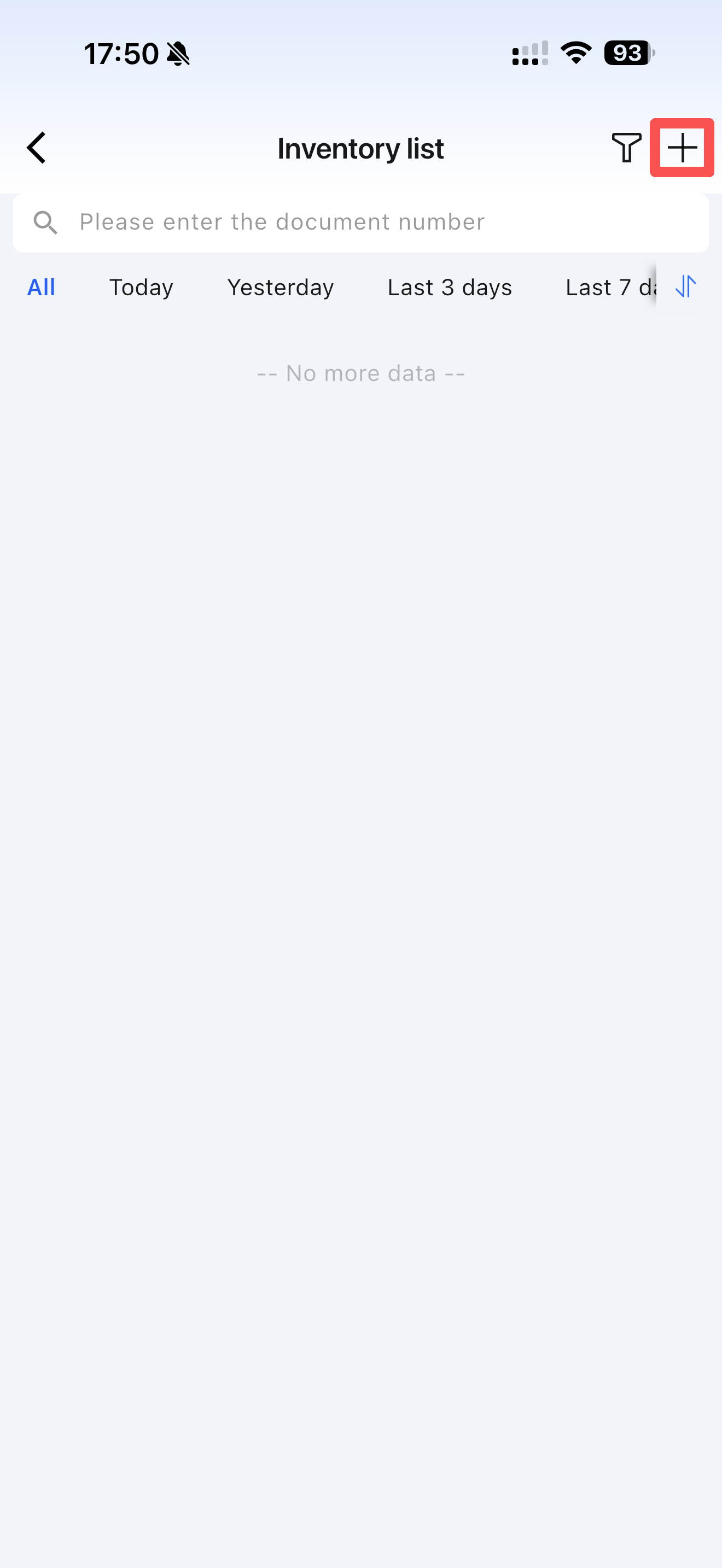
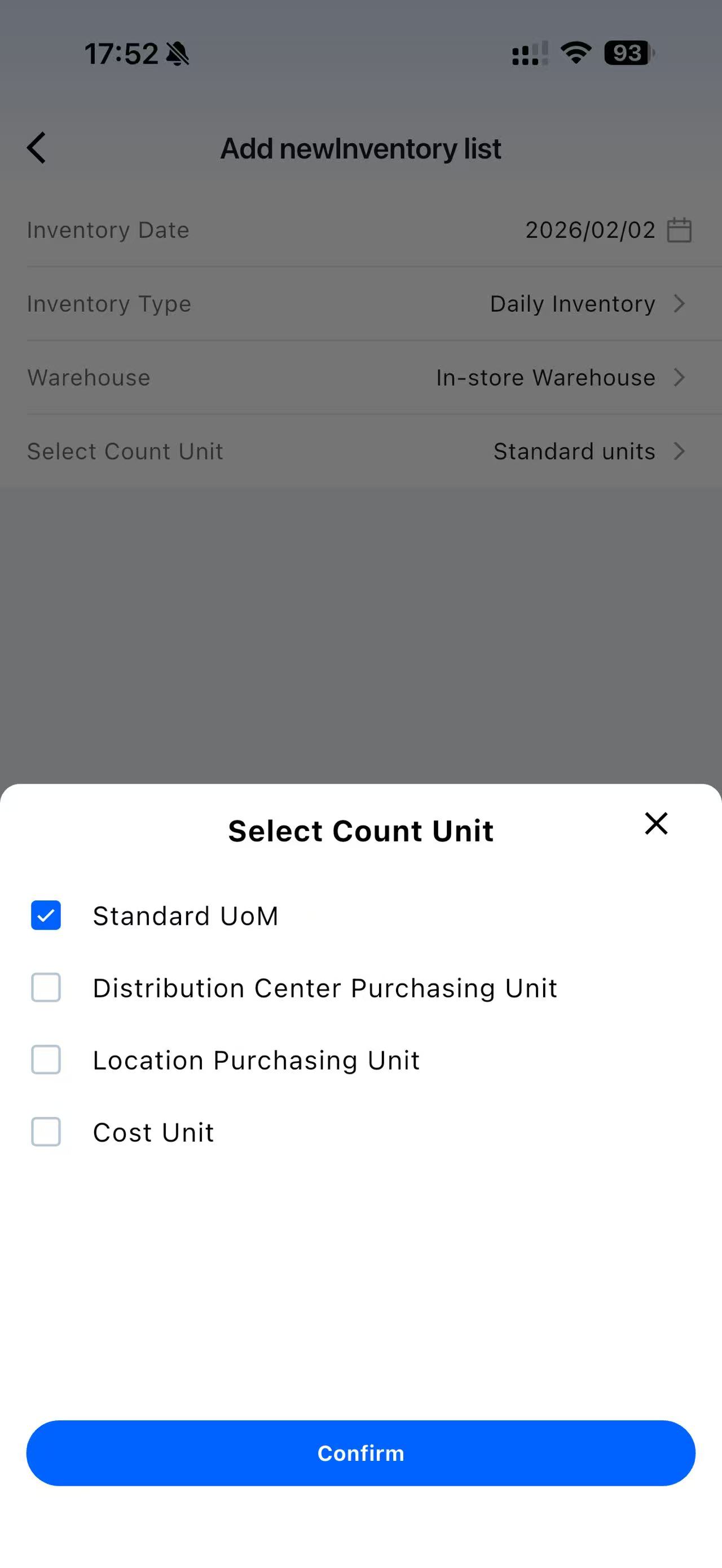
- [Homepage] → [Inventory Count] / [Inventory Count List] → Create New Inventory Count:
11 Shelf Life Dashboard
11.1 Function Overview
In the catering industry, shelf life labels for materials play a crucial role in ensuring food safety, managing inventory, and improving operational efficiency. They clearly record key information such as expiration dates, opening dates, and deadline dates. Correct printing and use of shelf life labels not only reassure customers about the food they purchase but also reflect the compliant operation of catering enterprises.
Common pain points addressed:
- Non-standard store processing operations and poor kitchen hygiene.
- Stores removing or altering raw material shelf life labels and using expired ingredients.
- Lack of traceability for handwritten labels or shelf life notes after opening materials.
- Reliance on manual management for expiration dates of opened raw materials.
- Inability of the corporate headquarters to monitor irregular store operations.
11.2 Function Value
To ensure shelf life of store ingredients is verifiable, traceable, and auditable, helping enterprises strengthen food safety management, reduce risks, and prevent potential issues. Restosuite integrates intelligent and digital technologies with actual catering business scenarios to form a management closed-loop: “Centralized Configuration by Headquarters → Store Production and Unpacking → On-Demand Shelf Life Label Printing → Expiration Alerts → Headquarters Data Analysis.” Catering enterprises can monitor the entire lifecycle of ingredient production and processing across all stores, enabling strict shelf life control for chain catering brands.
11.3 Application Scenarios
- Real-time monitoring of material shelf life status, with alerts for soon-to-expire items to reduce waste and optimize supply chain management. For example, milk tea shops manage syrups, cream toppings, and other raw materials.
11.4 Operation Instructions