Bulk Gift Distribution
1 Module Introduction
Bulk Gift Distribution Campaigns send tailored promotional gifts to target member groups at optimal times—aligned with their consumption habits and scenarios. These thoughtful, unexpected gifts deliver personalized care, reactivating engagement, stimulating purchases, strengthening merchant-member relationships, reducing churn, boosting retention and repeat purchase rates, and empowering merchants to execute refined member operations and build a loyal core customer base.
2 Configuration Guide
2.1 Accessing the Feature
- Log in to the SaaS Admin Portal.
- Navigate to【Membership Marketing】>【Marketing】>【Marketing Activities】.
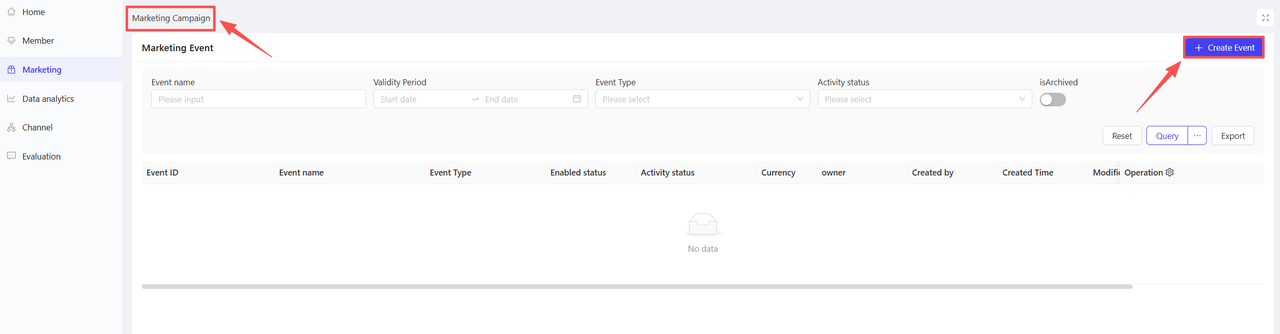
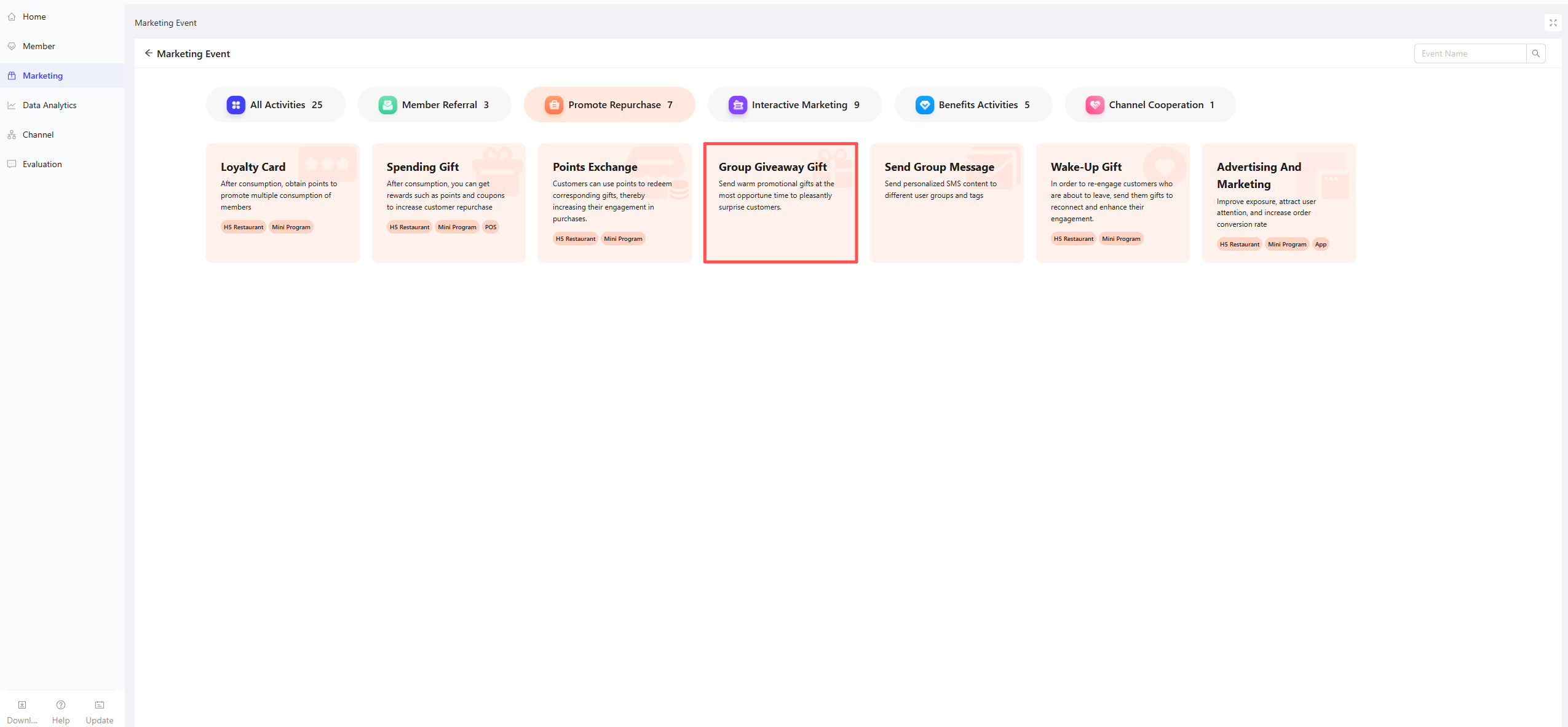
- Click【Create Activity】in the top-right corner and select the Bulk Gift Distribution module.
2.2 Basic Settings
-
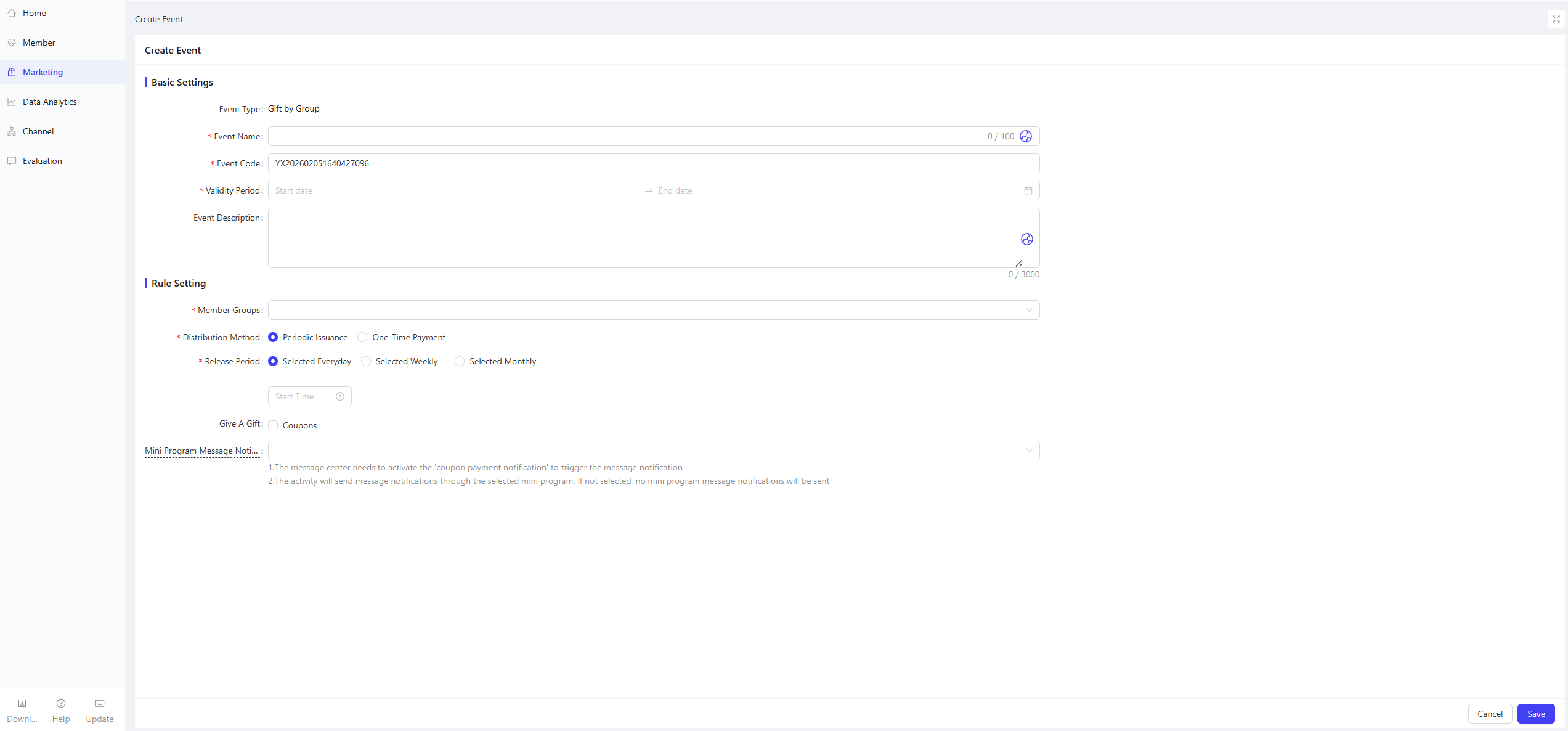
Activity Name: Enter a clear name for easy customer recognition
- Example: “Coupon Giveaway”
-
Activity Code: Enter a unique ID for internal management and tracking
-
Validity Period: Set the campaign start and end time for rational scheduling
-
Description: Briefly describe campaign details and rules for clarity
2.3 Rule Settings
-
Target Member Segments: Select the specific member groups for the campaign
-
Distribution Method: Choose Recurring Distribution or One-Time Distribution
- Recurring Distribution: Configure the gift distribution cycle (Daily/Weekly/Monthly)
- One-Time Distribution: Set the specific gift distribution time
💡Notes
Once gift distribution is triggered, modifying the distribution time will not re-trigger the send-out.
We recommend using the Test Send feature to send gifts to yourself and testers first to check for errors before official distribution to target groups. Distributed gifts cannot be recalled.
-
Gift Selection: Select and configure the coupon gifts to be distributed here.
-
Mini Program Notifications
- The Coupon Arrival Notification must be enabled in the Message Center to trigger alerts.
- Select the target mini programs for notifications; no alerts will be sent if none are selected.
3 Activity Activation & Management
-
Activating the Activity
- After completing all configurations, click Save to launch the activity immediately.
-
Activity Management & Monitoring
- View activity performance data (including order volume and participant metrics) on the Activity Management page.
- Pause, adjust, or archive the activity at any time as needed.