Refer-a-Friend Gift
1 Module Introduction
The Refer-a-Friend Gift Activity is a key tool for merchants to acquire new core members. Existing customers invite new users to complete designated activities (membership registration & card activation / first purchase), with both referrers and new users earning gift incentives.
Ideal for long-term member growth, this activity boosts existing member engagement and loyalty, expands the new customer base, and drives dual growth in user volume and consumption conversion rates.
2 Configuration Guide
2.1 Accessing the Feature
-
Navigate to the Marketing Management Module
- Log in to the SaaS Admin Portal. Go to【Membership Marketing】>【Marketing】> 【Marketing Activities】.
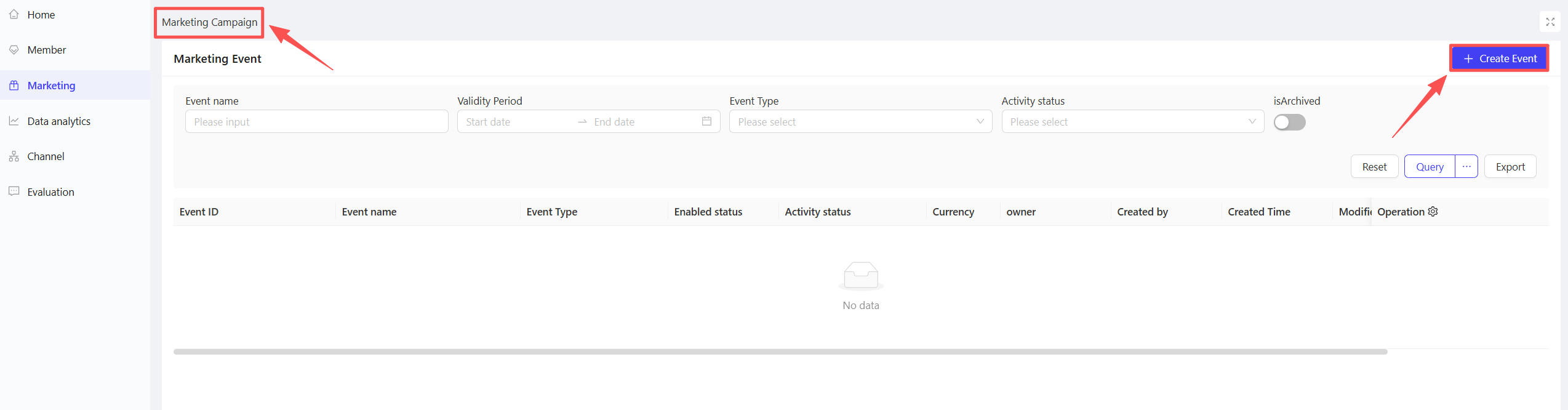
- Log in to the SaaS Admin Portal. Go to【Membership Marketing】>【Marketing】> 【Marketing Activities】.
-
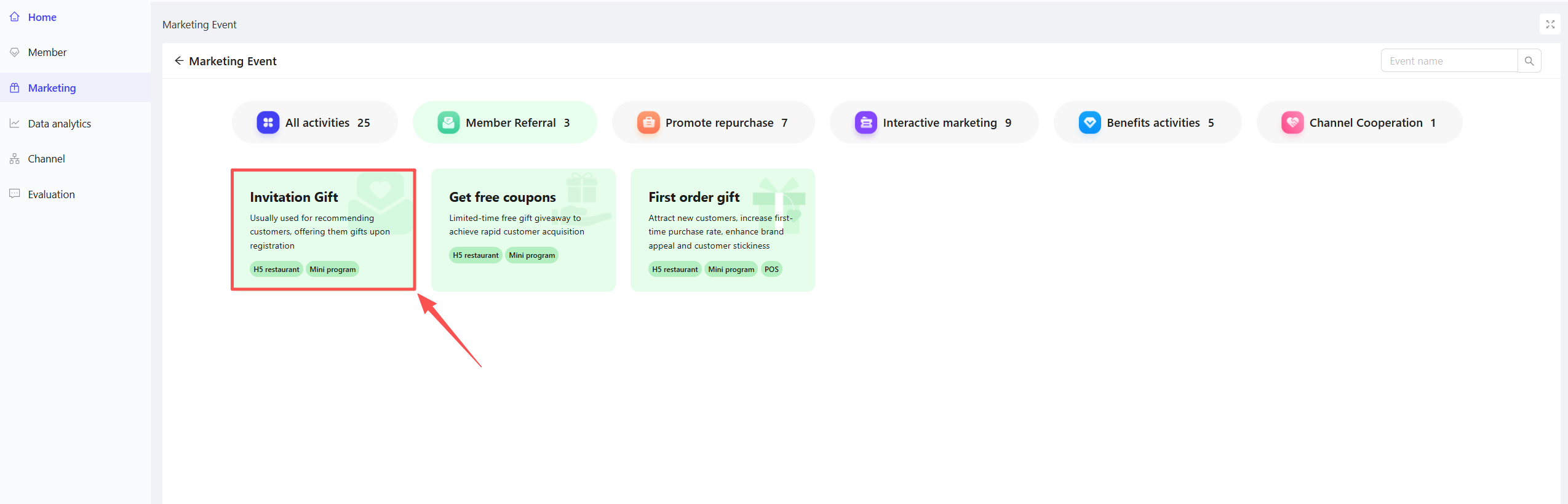
Click【Create Activity】in the upper-right corner. Select the Refer-a-Friend Gift module to enter the configuration page.
2.2 Basic Information Configuration
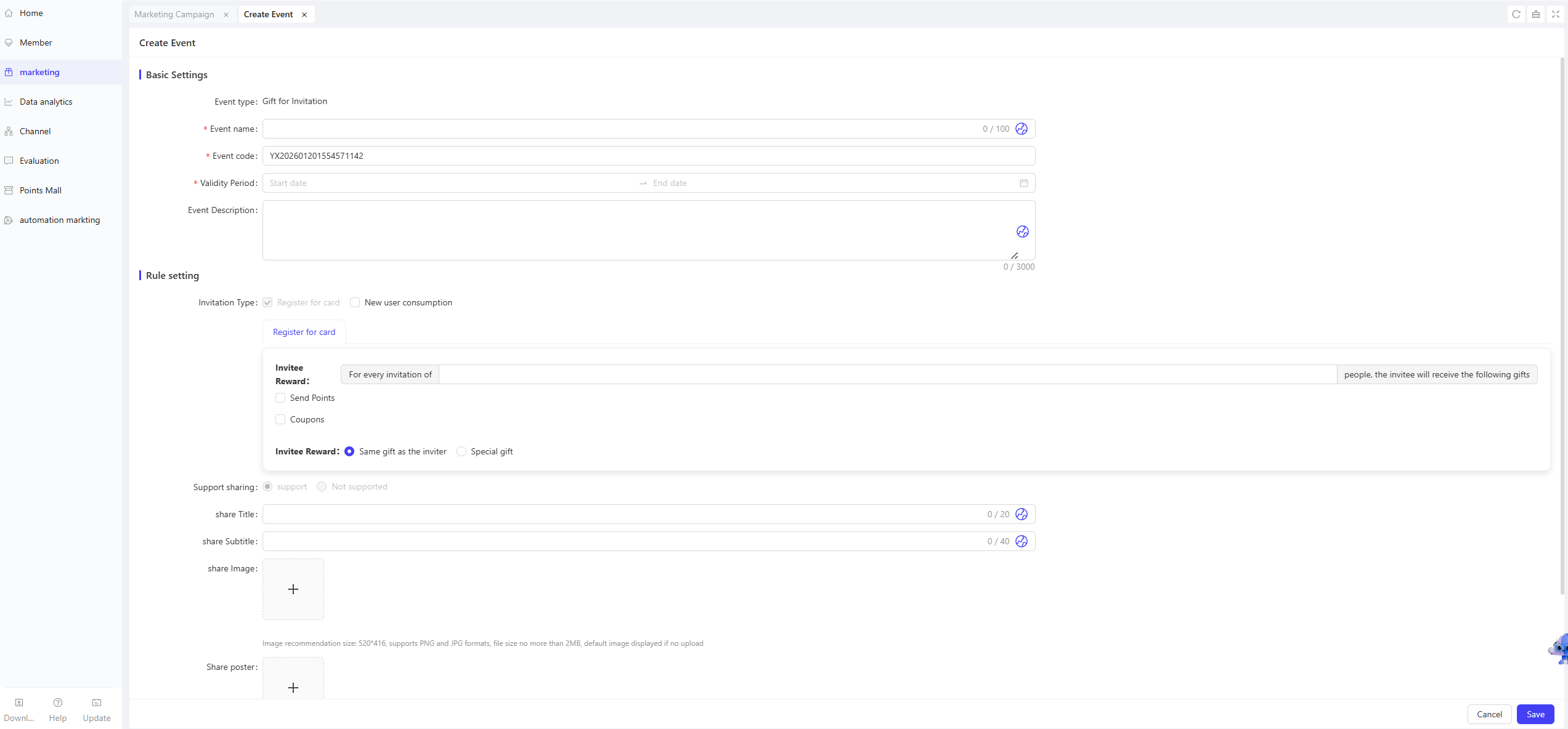
Fill in the core activity details to ensure clarity for customers and streamline internal tracking.
-
Activity Name: Required. Choose a name that is easy for customers to identify.
- Example: “Refer a Friend, Earn Gifts!”
-
Activity Code: Required. A unique identifier auto-generated by the system (editable manually), for internal management and tracking purposes.
-
Period: Required. Set the start and end dates of the activity to ensure a reasonable timeframe.
-
Description: Optional. Briefly outline the activity rules to ensure clarity for all participants.
2.3 Rules Configuration
Configure core referral types and gift rules for both parties to precisely control acquisition scenarios and incentive distribution.
-
Referral Trigger Types (Select at least one)
- Card Activation: Gifts are issued to both parties once the referred user completes membership registration and card activation.
- New User First Purchase: Gifts are issued to both parties once the referred user completes a qualifying purchase of items.
-
Referrer Gift Configuration
- Registration & Card Activation Gift
- Gift Rule: The referrer earns corresponding gifts after successfully inviting a specified number of new users to complete registration and card activation.
- Gift Types: Points and coupons are supported, with configuration rules consistent with other platform activities.
- New User Purchase Gift
- Gift Rule: The referrer earns corresponding gifts after successfully inviting a specified number of new users to complete a purchase (no minimum purchase amount required; only the completion of a purchase transaction of items is needed).
- Gift Types: Points and coupons are supported, with configuration rules consistent with other platform activities.
- Registration & Card Activation Gift
-
Referred User Gift Configuration
- Same as Referrer: The referred user receives the same gifts as the referrer, with rules synced automatically.
- Custom Gifts: Configure independently (points and coupons supported) to set differentiated incentives based on business needs.
2.4 Advanced Settings
- Sharing Functionality: Enabled by default and non-editable.
- Share Page Title: Enter a title for the sharing page to enhance promotional effectiveness.
- Share Page Subtitle: Enter a subtitle for the sharing page to support promotional efforts.
- Share Page Image: Upload a poster image to increase the click-through rate of shared links.
3 Activity Activation & Management
-
Activating the Activity
- After completing all configurations, click Save to launch the activity immediately.
-
Activity Management & Monitoring
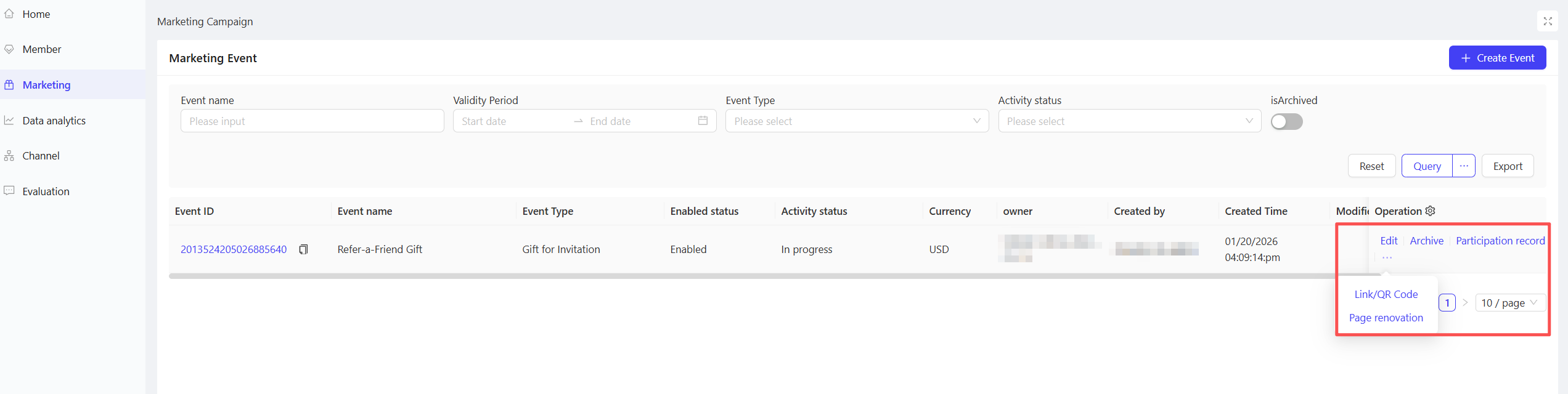
- View activity performance data (including order volume and participant metrics) on the Activity Management page.
- Pause, adjust, or archive the activity at any time as needed.
4 Activity Page Decoration
- Click【Page Decoration】in the action bar to enter the editing interface.
- Customize the homepage layout by dragging and dropping components (e.g., background colour, banner images).
- After completing the design, click【Publish】in the upper-right corner of the page.
5 User Journey (End-User Experience)
- Referrer Perspective
Core Flow: Access Activity Page → View Incentives → Share Referral Link → Referred User Completes Target Activity → Earn Gifts → View Gift Details
- Referred User Perspective
Core Flow: Click Shared Link → Access Activity Page → Complete Target Activity → Claim Gifts → Redirect to Referrer Interface (to Launch Own Referrals)