Queue Management
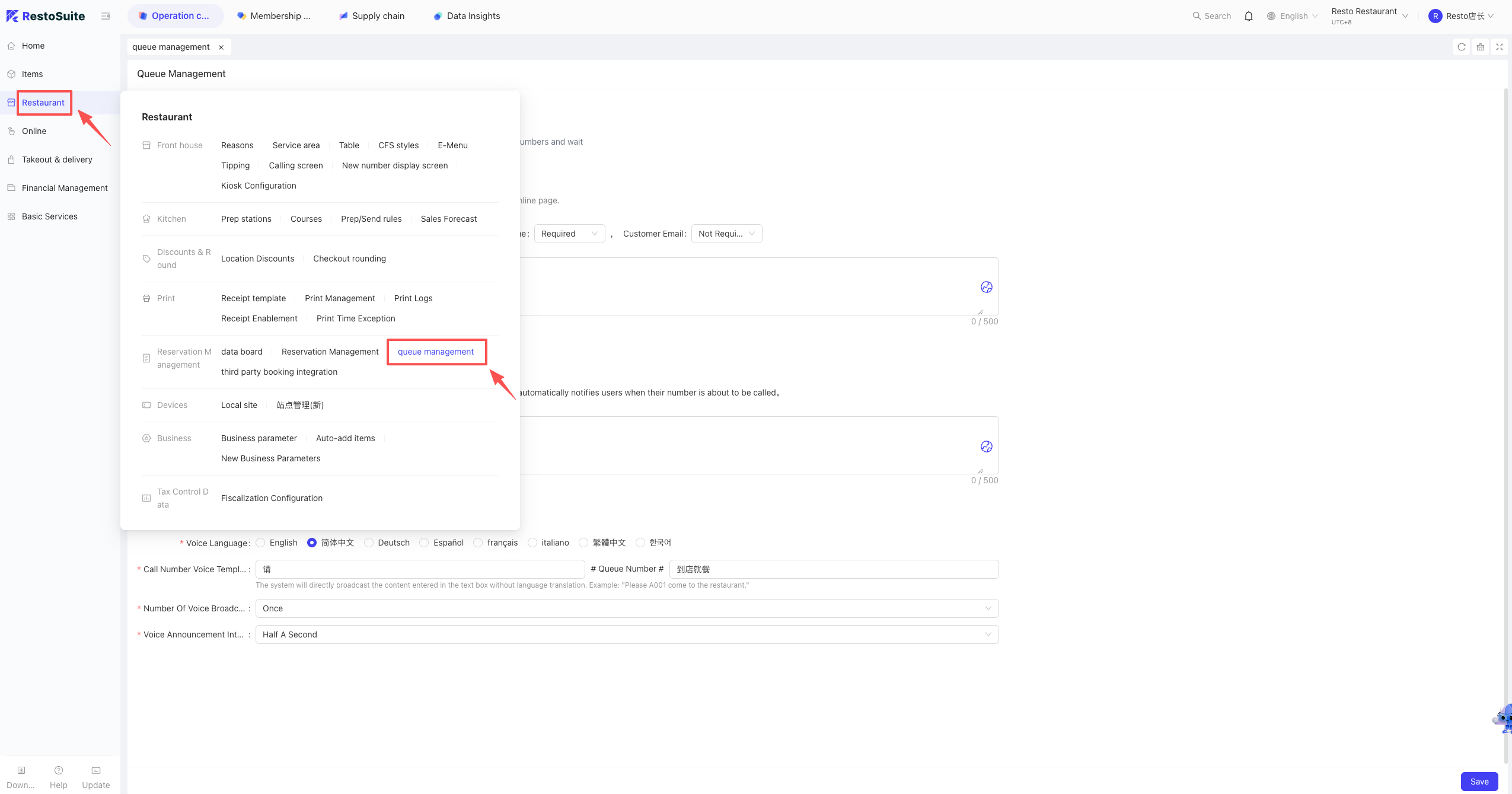
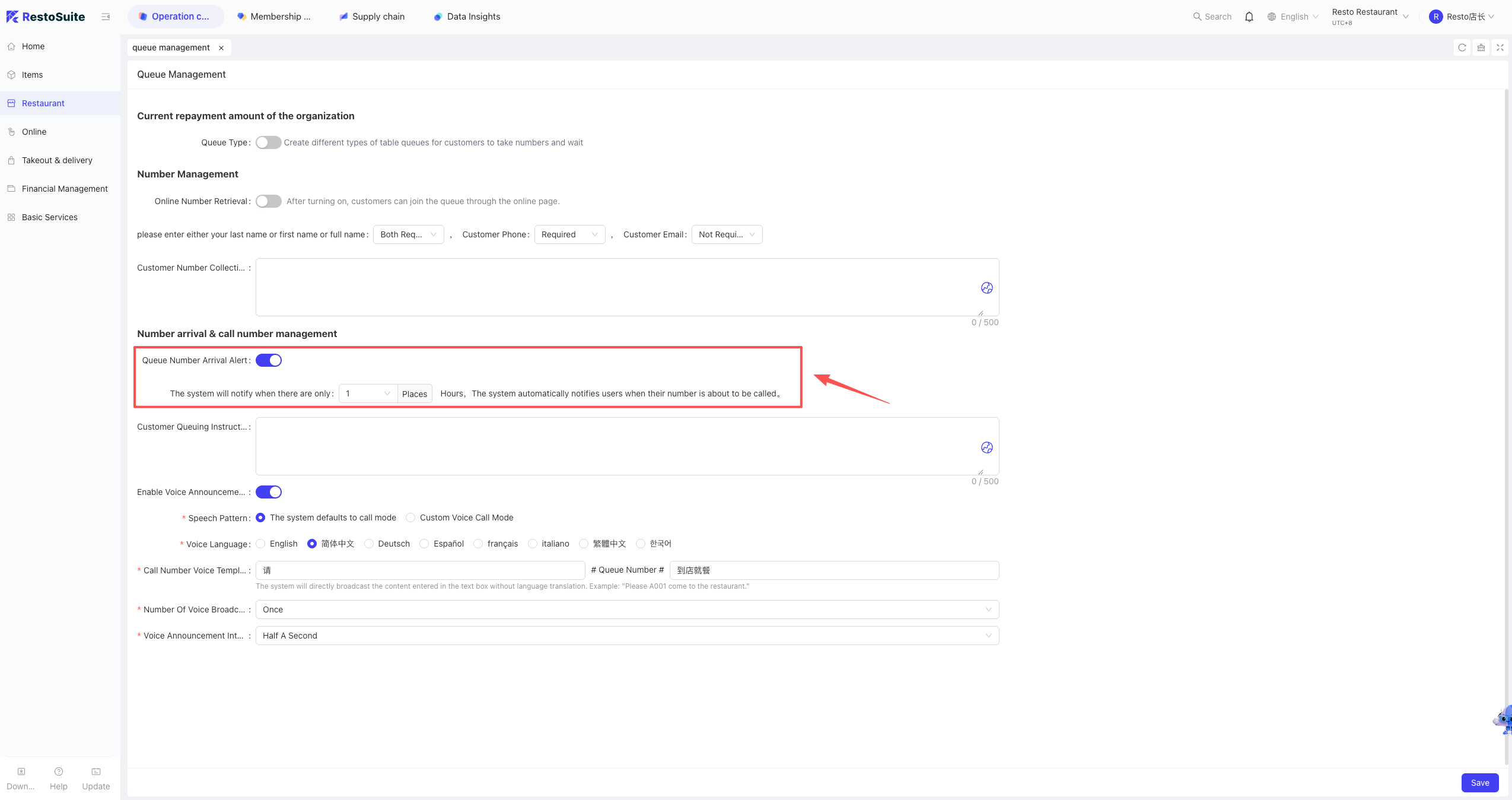
1 Does the queue system support reminders when a guest’s turn is approaching?
A: Yes. This feature must be enabled in the BO backend.
Path: Store Perspective > Restaurant Management > Queue Management > Enable “Ready Notification”
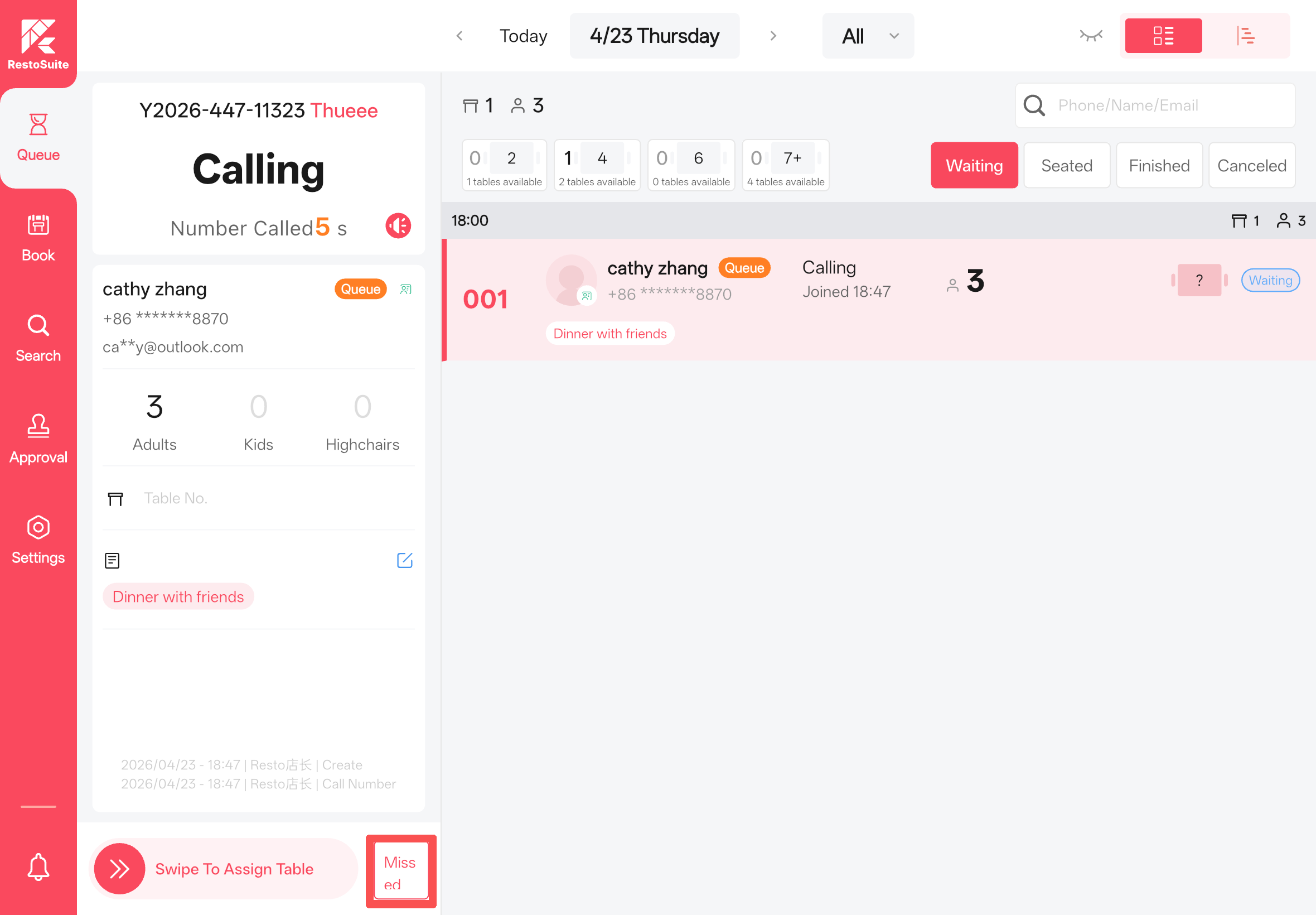
2 How to handle missed turns or canceled waitlist entries?
A: Staff can manually process “Missed” or “Canceled” operations directly within the App.
3 Can guests check their real-time queue status?
A: Yes. After successfully joining the waitlist (taking a number), the system displays the total number of waiting tables ahead of them. Guests can re-enter the queue page at any time to view their live progress.
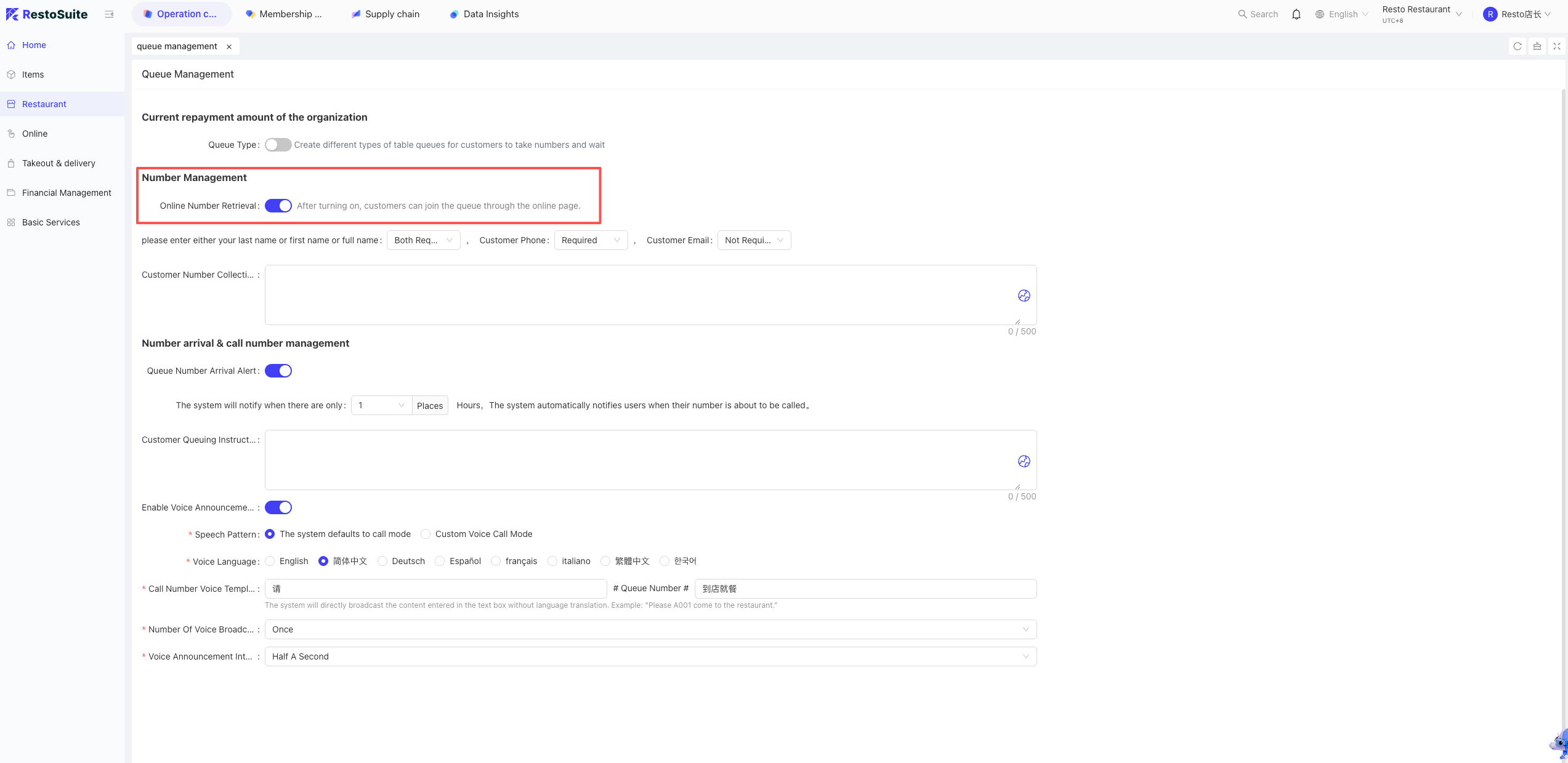
4 How to enable online queue?
A: Ensure the store has purchased the Queue Module.
Go to the BO backend: Store Perspective > Restaurant Management > Queue Management, and toggle on the corresponding online queue function.
Last updated on: