Points Redemption
1 Module Introduction
Points Redemption is a core member benefit management tool for F&B merchants. It builds a points mall with diverse redeemable items (coupons/physical goods), letting members redeem rewards with spending-earned points to boost benefit perception and spending loyalty. It supports precise redemption rule configuration by item type and user tier, drives higher point redemption rates and repeat purchase intent, and achieves in-depth member management and sustained store revenue growth.
2 Configuration Guide
2.1 Accessing the Feature
- Log in to the SaaS Admin Portal.
- Navigate to【Membership Marketing】>【Marketing】>【Marketing Activities】.
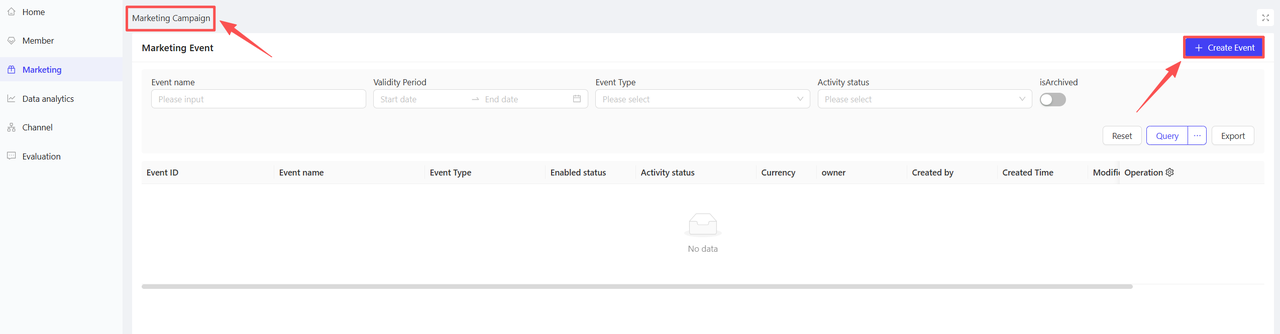
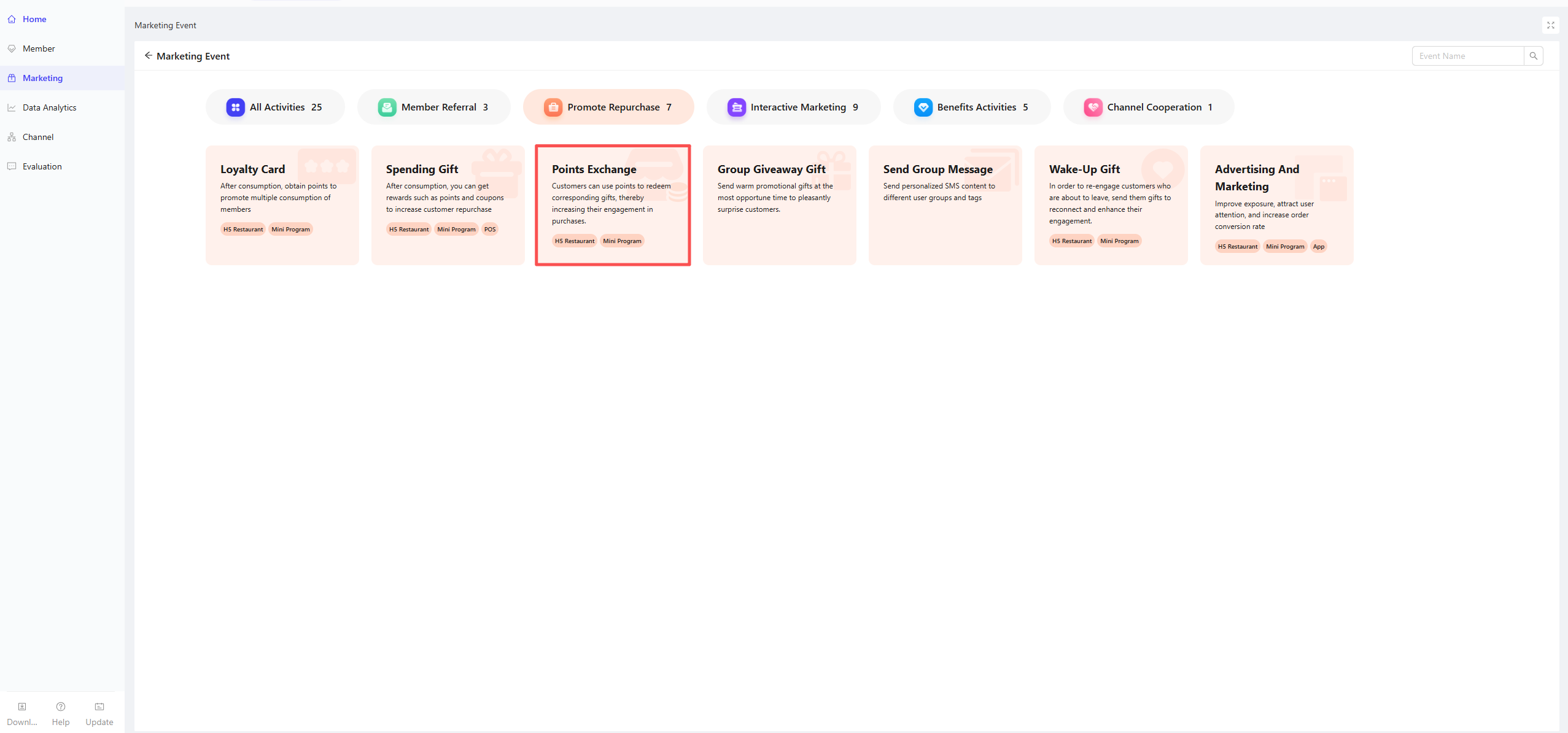
- Click【Create Activity】in the top-right corner and select the Points Redemption module.
2.2 Basic Product Information
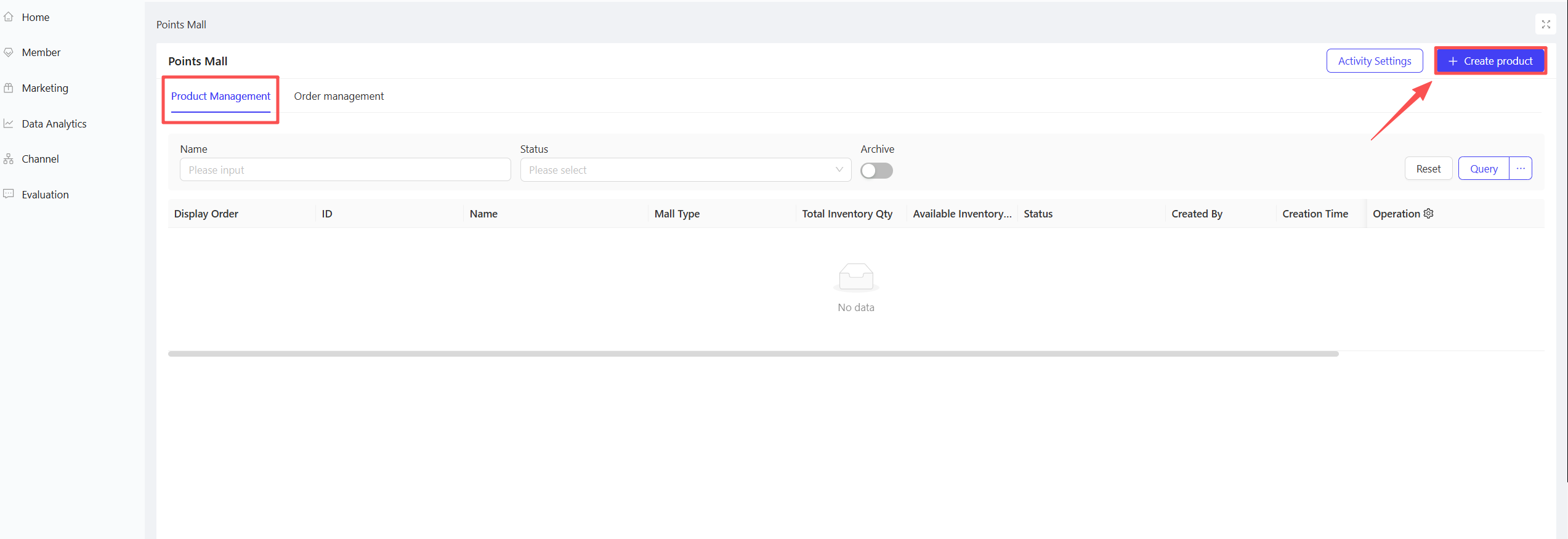
- On the Product Management page, click Create Product in the upper-right corner
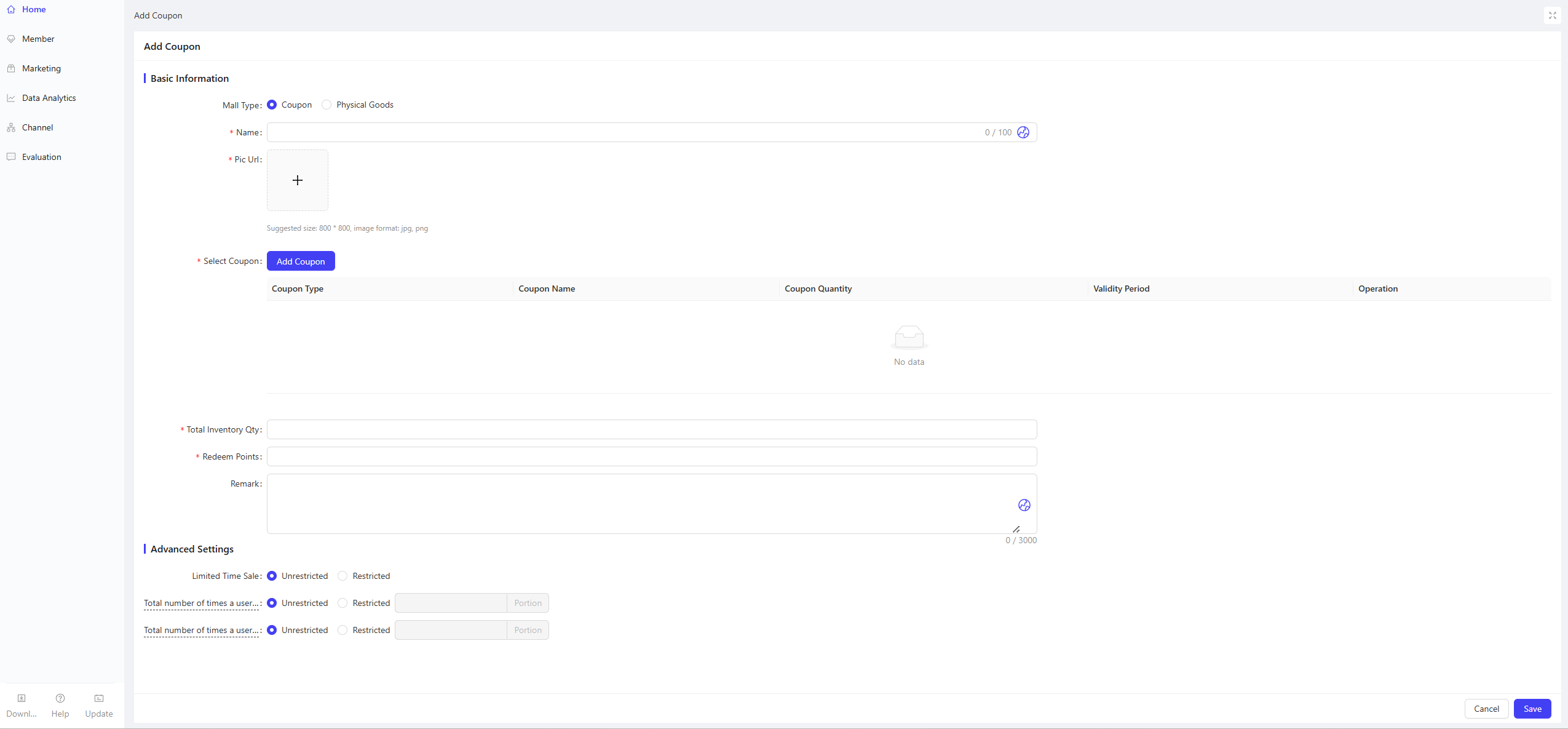
- Configure the following basic information:
- Product Type: Two options available — Coupon / Physical Product
- Product Name: Enter a clear, standard name (e.g., $50 No-Threshold Coupon, 1 Signature Milk Tea)
- Product Image: Upload product-related images optimized for mobile display
- Select Coupon: Required only for the Coupon type; select the corresponding coupon from the pre-created backend coupon library (e.g., Spend & Save Coupon, Discount Coupon, Single Item Coupon)
- Total Stock: Enter the total redeemable quantity of the item
- Point Price: Enter the number of points required to redeem the item (core redemption threshold)
- Description: Enter detailed item information, including usage rules, redemption notes and after-sales instructions; ensure complete and clear details to reduce member inquiries
2.3 Advanced Settings
- Limited-Time Redemption: Unlimited / Limited
- User Redemption Limits
- Total Redemption Limit per User: Set the maximum number of times a single user can redeem the item during the entire campaign period (e.g., 3 redemptions per user)
- Daily Redemption Limit per User: Set the maximum number of times a single user can redeem the item per day (e.g., 1 redemption per day)
3 Item Management
Created items support the following operations: Shelve / Unshelve / Edit / Duplicate / Archive / Adjust Stock. Unshelved items are invisible to members and will not affect already redeemed orders.

Last updated on: