Agreement Management
1 Add Agreement
Function Entry:
【Membership Marketing】>【Members】>【Auxiliary Functions】>【Agreement Management】
Function Description:
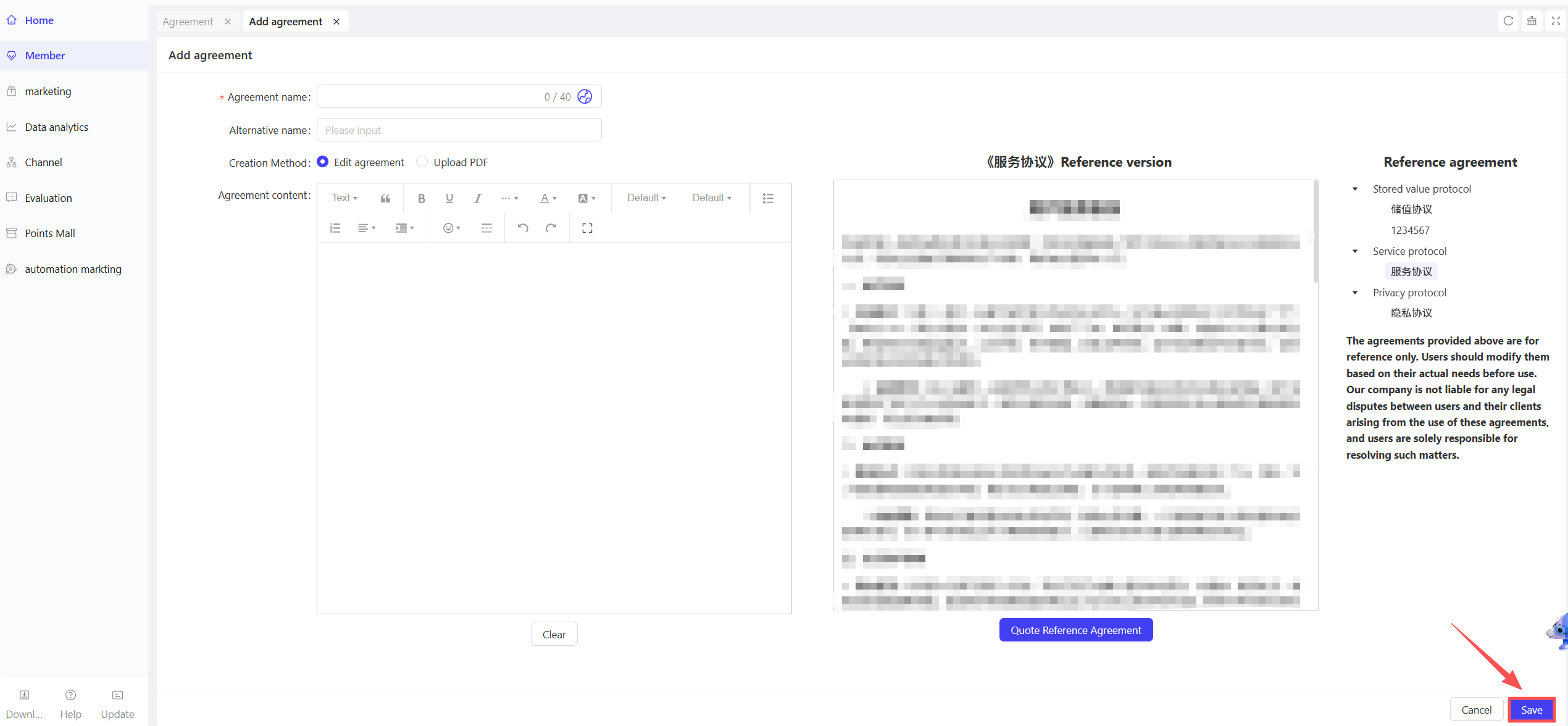
- You can configure various member-related agreements here, such as: Prepaid Deposit Agreement, Service Agreement, Privacy Agreement.
- Configuration details are as follows:
- Agreement Name: Enter the agreement name here (e.g., Resto Member Prepaid Deposit Agreement).
- Alternative name: Enter an alias for the agreement here for easier distinction and search.
- Creation Method: Select the agreement creation method—Edit Agreement or Upload PDF.
- Agreement Content: If you select “Edit Agreement”, enter the specific text content of the agreement here.
- Upload File: If you select “Upload PDF”, upload the agreement file here.
Operation Steps & Diagrams
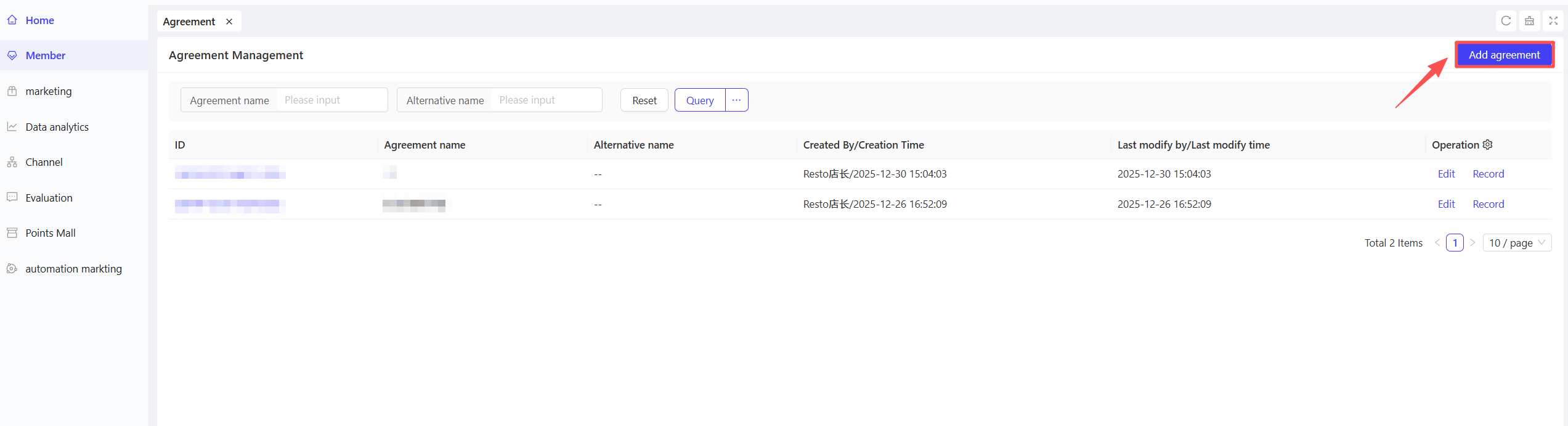
STEP 1: Click the【Add Agreement】button in the upper right corner of the Agreement Management page.
STEP 2: Complete the configuration form and click【Save】to finish the operation.
2 Agreement Management
Function Entry:
【Membership Marketing】>【Members】>【Auxiliary Functions】>【Agreement Management】
Function Description:
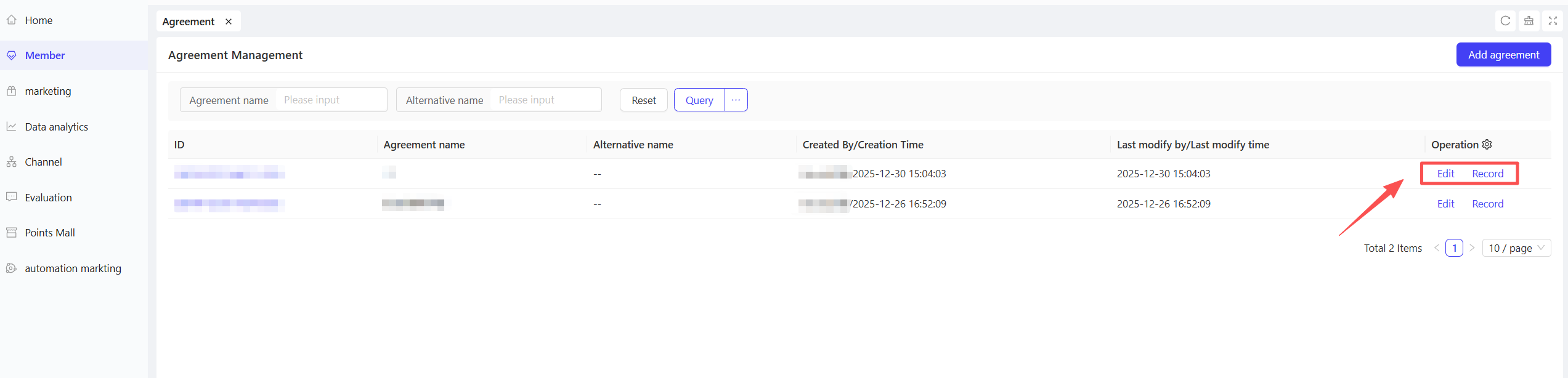
- Edit: You can edit existing agreements here.
- History: You can view the modification records of the agreement on this list, including: Modification Time and Modifier.
Operation Steps & Diagrams
STEP 1: Under the Group View, click the【Edit】or【History】button next to the target agreement.
Last updated on: