Reports
1 How to query sales data for open items in Data Insights?
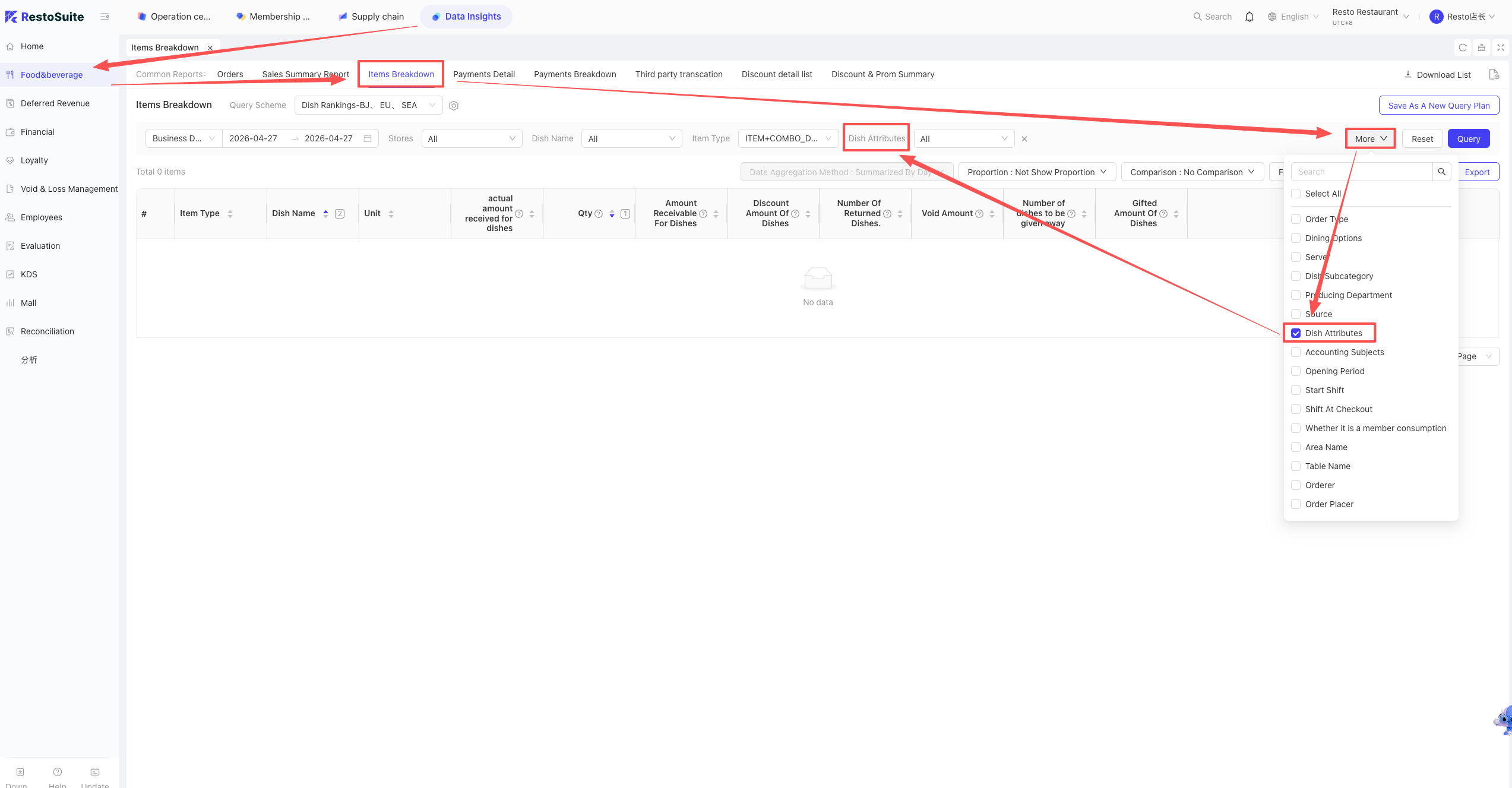
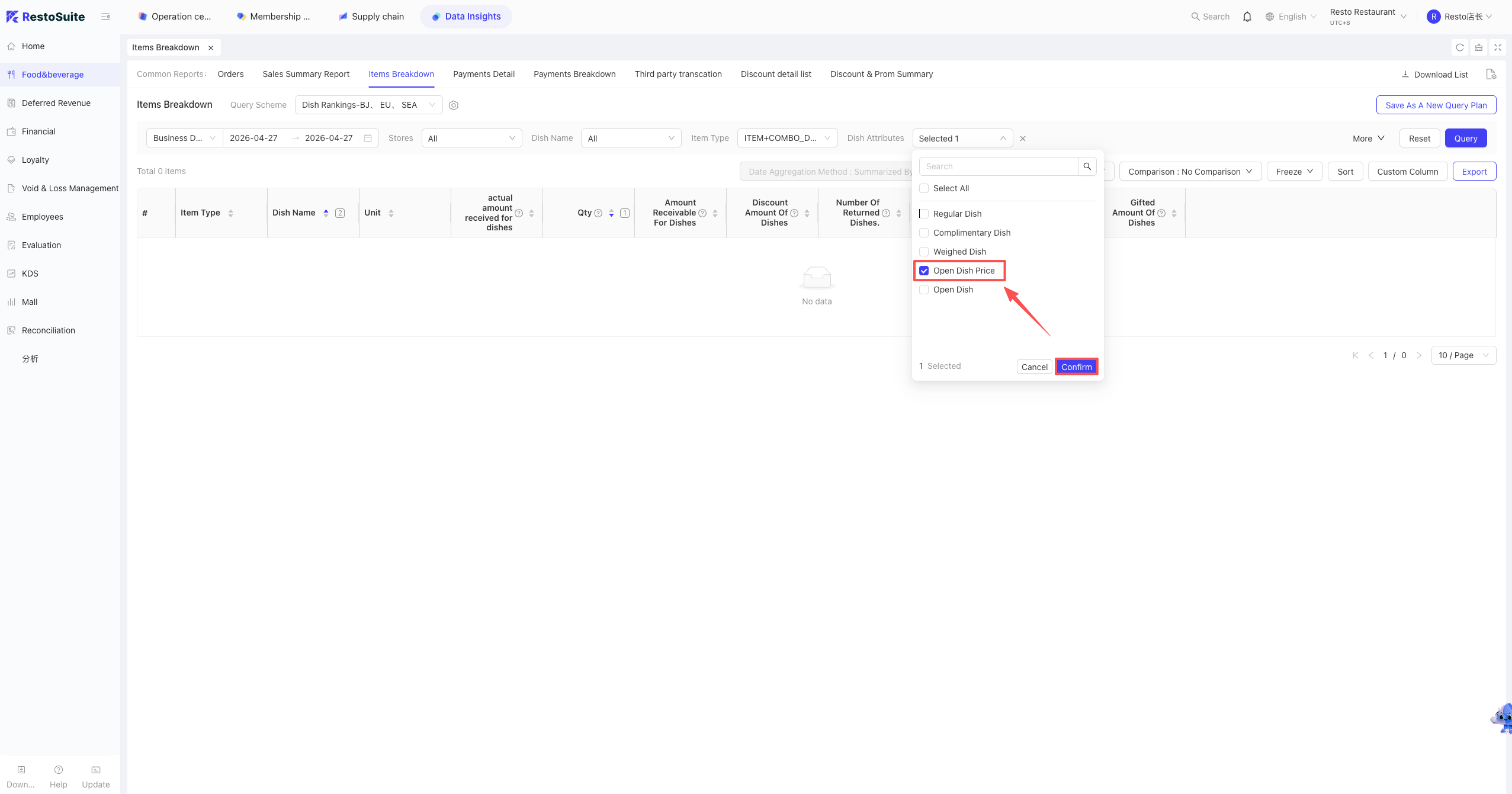
A: Log in to the BO system: Data Insights > Items > Items Summary Report, then select Open Item under Dish Attributes.
Note:
If "Dish Attributes" is not displayed, check the "Dish Attributes" option in Custom Columns and save.
2 Does the “Third-Party Transaction Detail” Report in Data Insights include cash income?
A: No. This report does not include cash income; it only displays data from all direct-connect payment channels.
3 How to view store Order Void statistics in the BO backend?
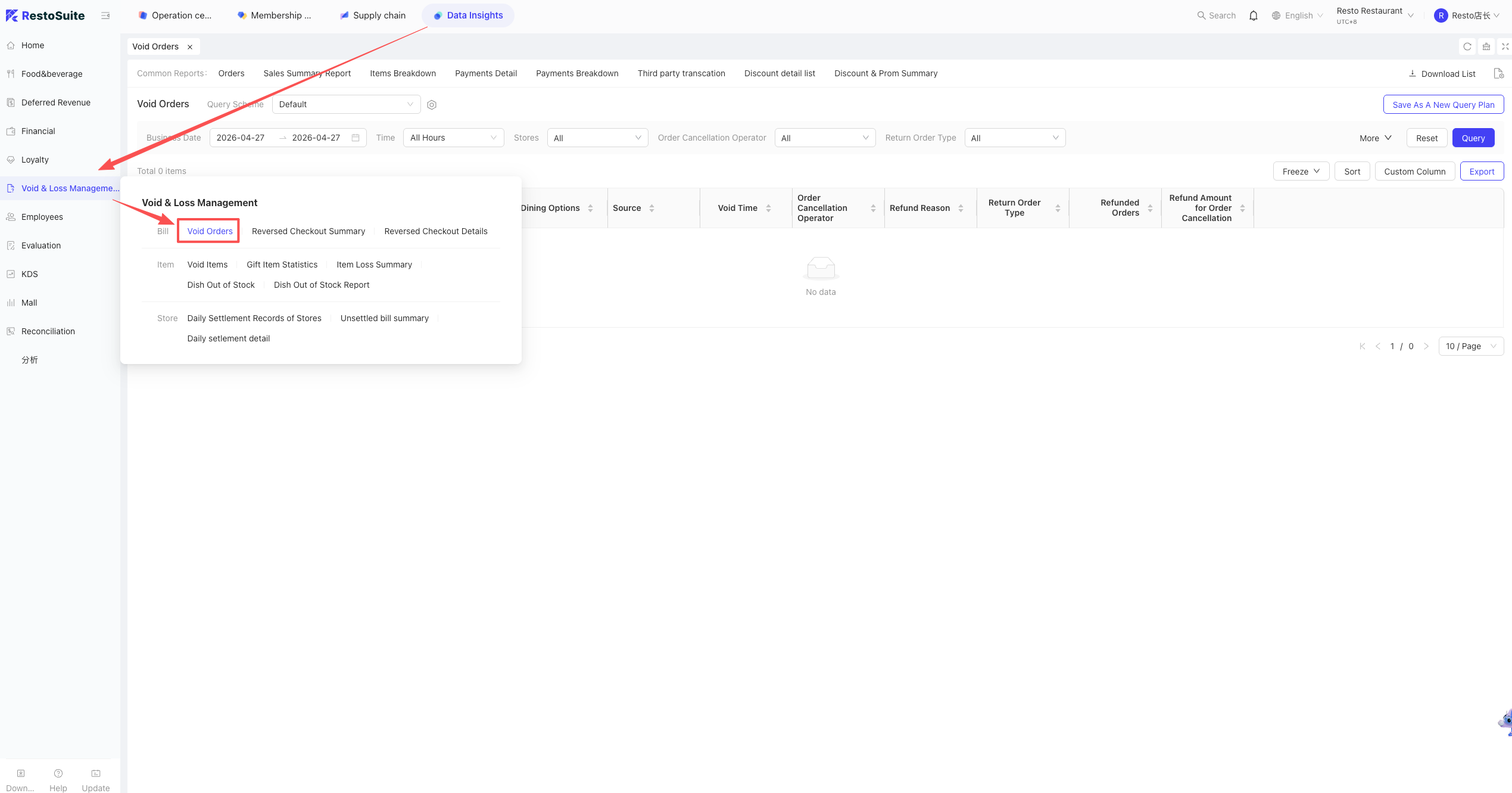
A: Log in to the BO backend, select the corresponding perspective, and click: Data Insights > Exception Management > Order Void Statistics.
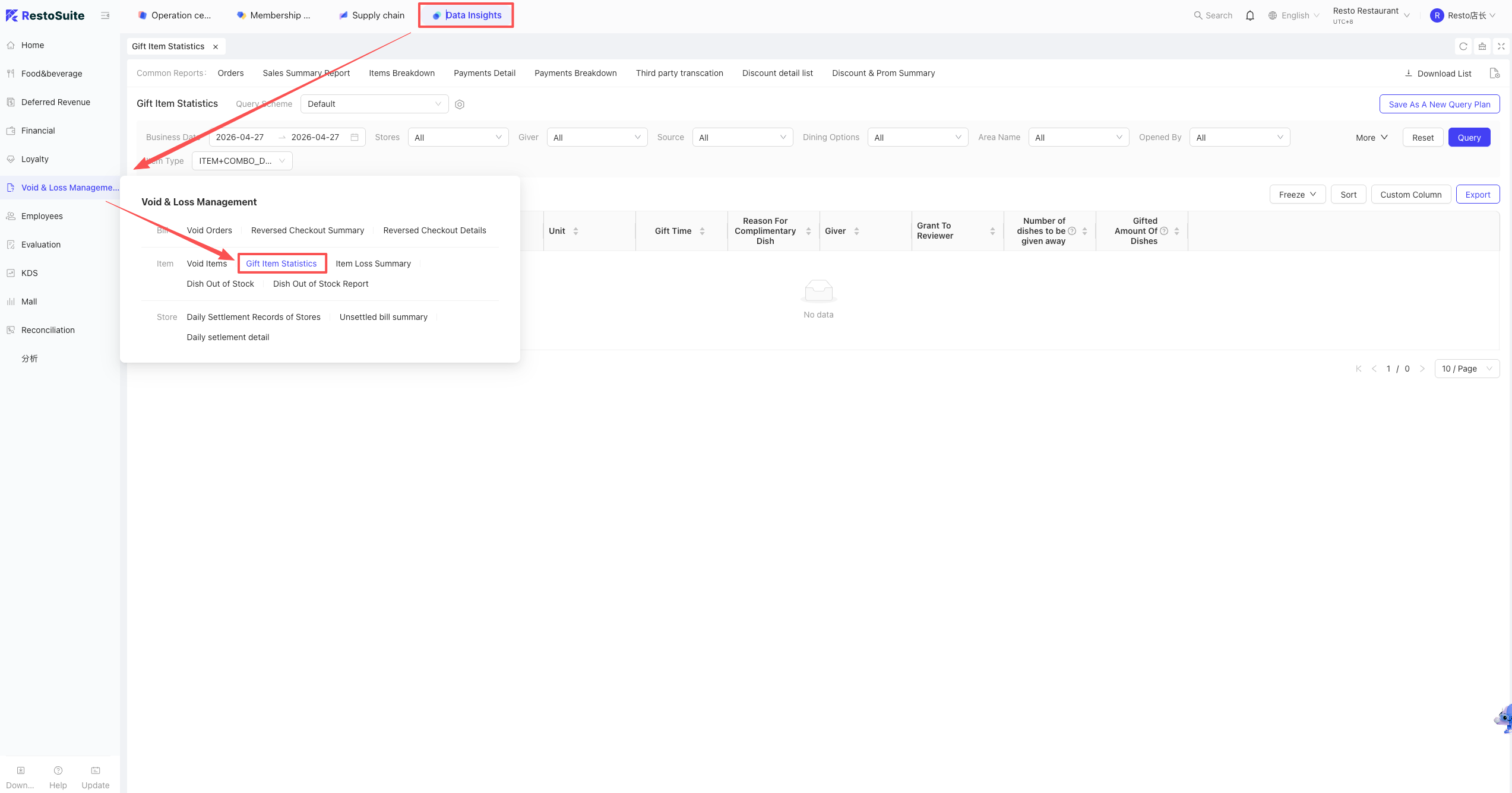
4 How to view store Complimentary Dish data in the BO backend?
A: Log in to the BO backend, select the corresponding perspective, and click: Data Insights > Exception Management > Complimentary Dish Statistics.
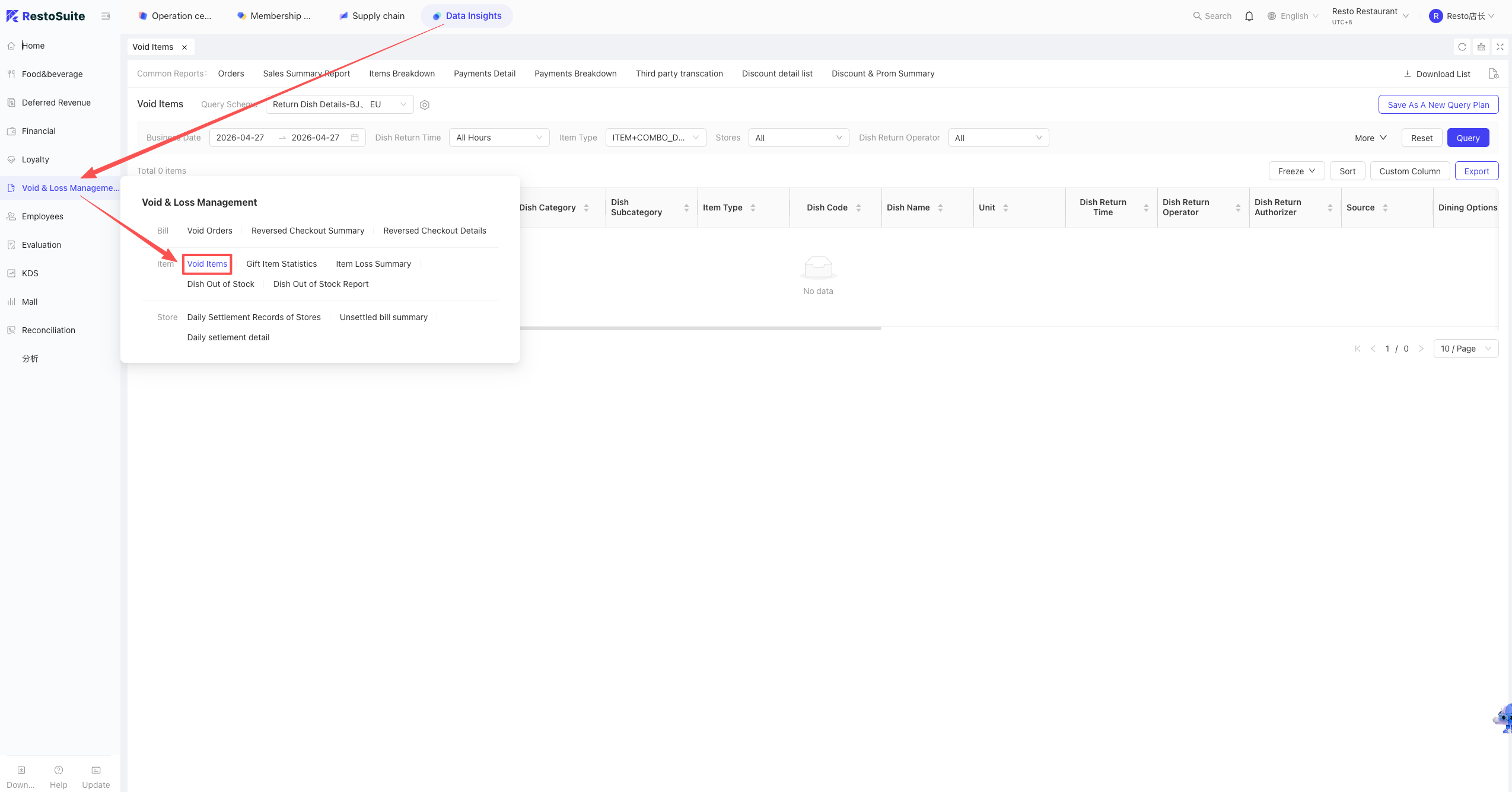
5 How to view store Returned Dish data in the BO backend?
A: Log in to the BO backend, select the corresponding perspective, and click: Data Insights > Exception Management > Returned Dish Statistics.
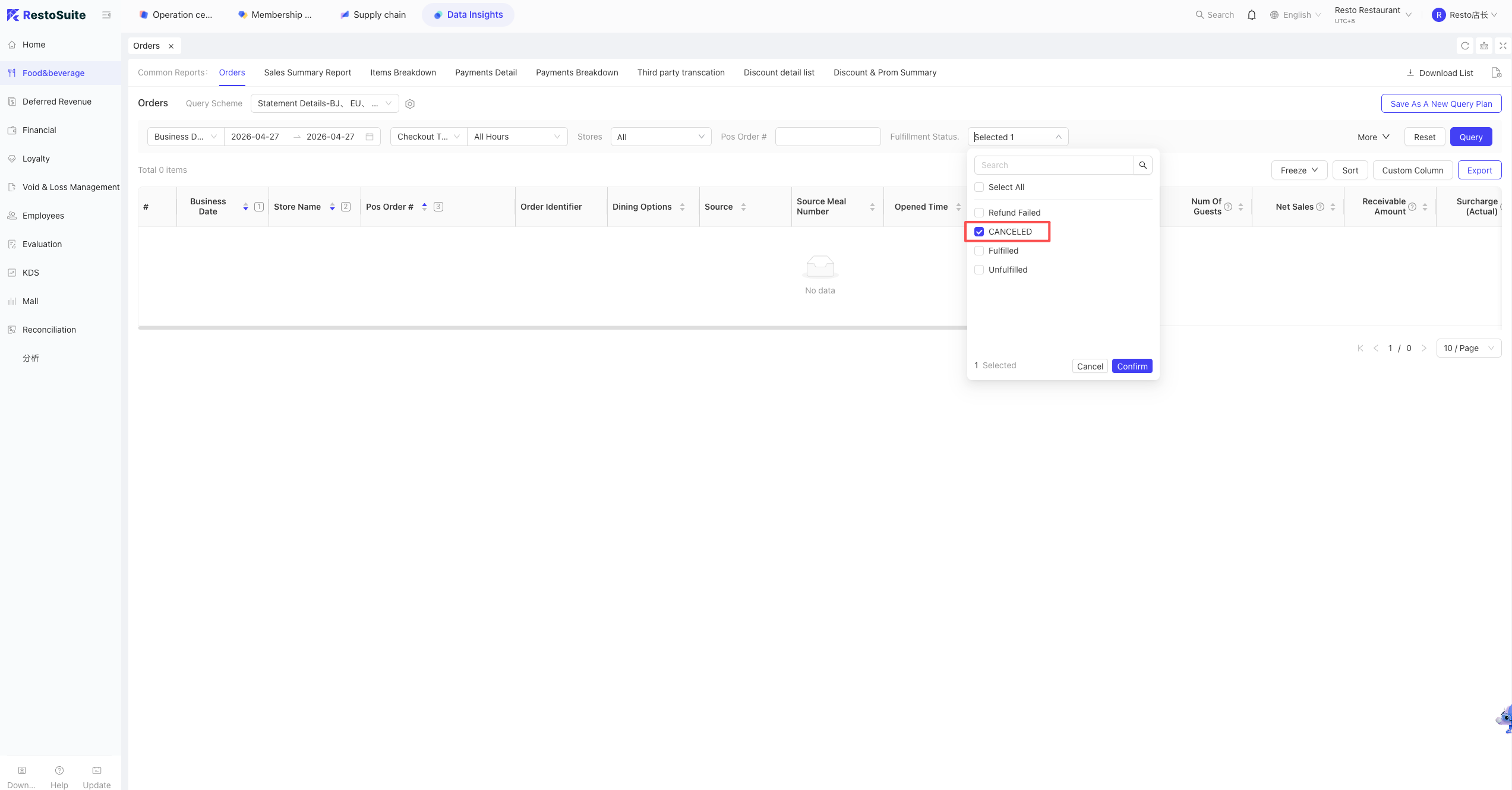
6 Does the “Bill Detail Report” in BO include cancelled orders?
A: Yes. The report currently uploads orders of all statuses. You can filter the query by Order Status.
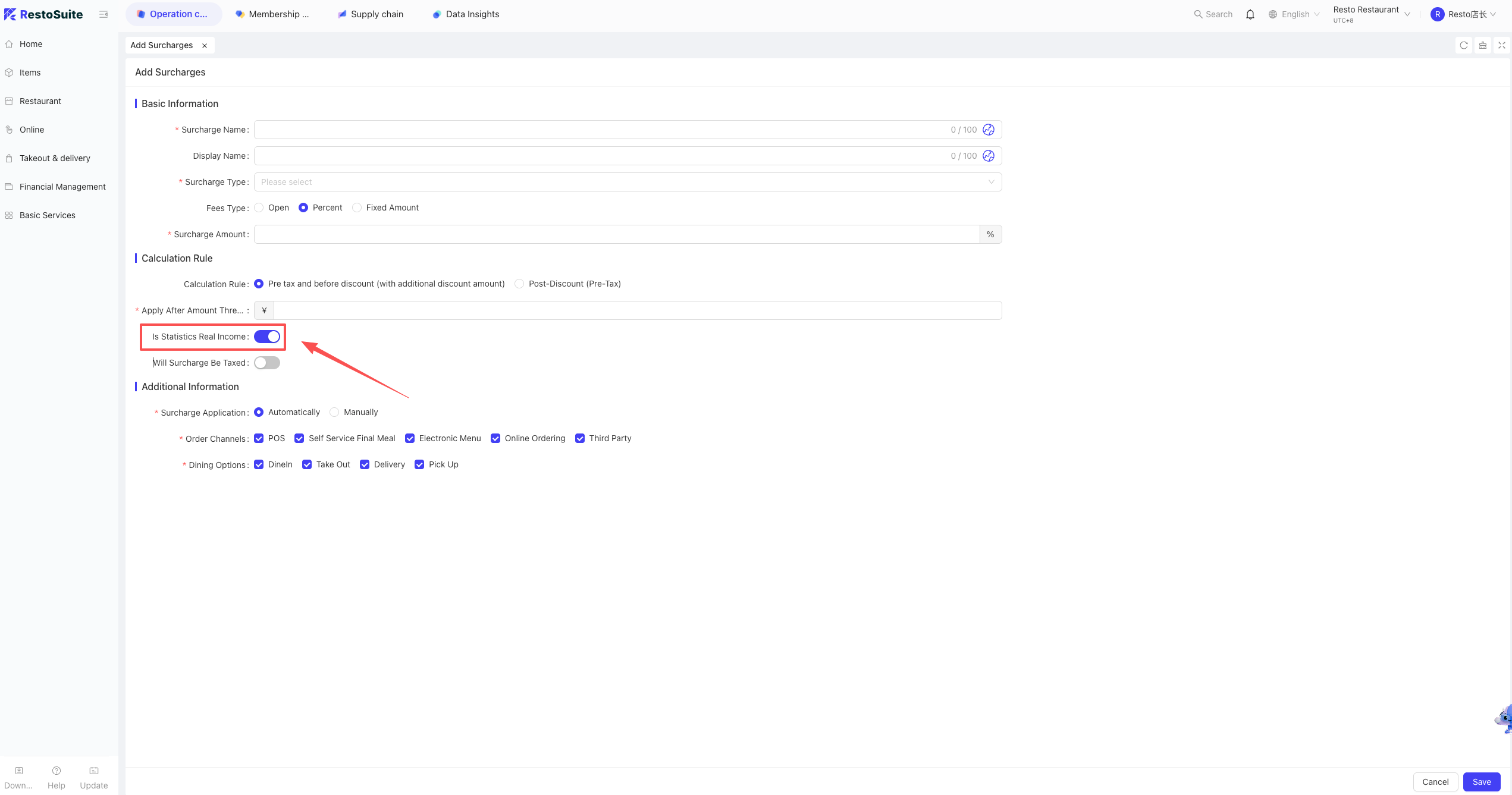
7 Why does “Merchant Net Income” in the Bill Detail Report not include surcharges?
A: This depends on the store settings. If the surcharge is set to be “Included in Net Income,” it will be counted; otherwise, it will be recorded under Discounts.
8 The stored value statistical report does not display the accounting method for bulk stored value recharge in card operations.
9 How to query the accounting subjects for dish income?
A: Go to: Data Insights > Item Summary Report > Income Subject Summary.
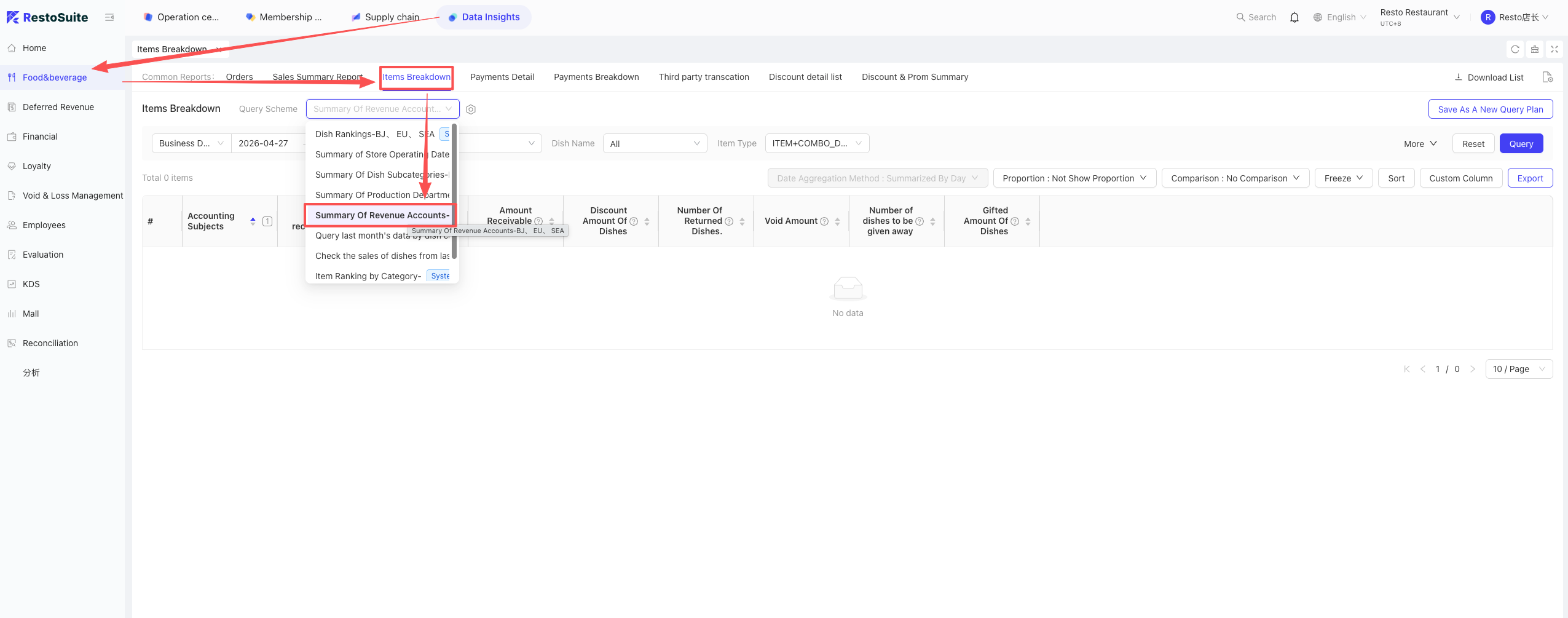
10 Dish A exists in both Combo B and Combo C. How to query the respective sales of Dish A in each combo?
A: This query method is currently not supported directly. You can perform a manual workaround:
- Query Combo Sales.
- Query Combo Detail Sales.
- Use Excel for manual matching.
11 Is the “Dish Commission Report” real-time?
A: No. It is not real-time and follows D+1 logic (data is updated the next day).
12 Does the “Dish Sales Summary Report” support querying Open Items?
A: No.
- Open Item: A dish not entered in the Master Files, where the name is modified at the POS or an unlinked delivery item is ordered as a temporary dish.
- Query Logic: The search function only targets items originating from the system’s internal Master Files.
13 Why do the “Ending Balance” of the previous day and the “Opening Balance” of the next day not match in the Member Transaction Change Report?
A: This is normal logic. This table cannot be used to compare cross-day data because it only counts card numbers that had changes, and the set of changing cards varies daily.
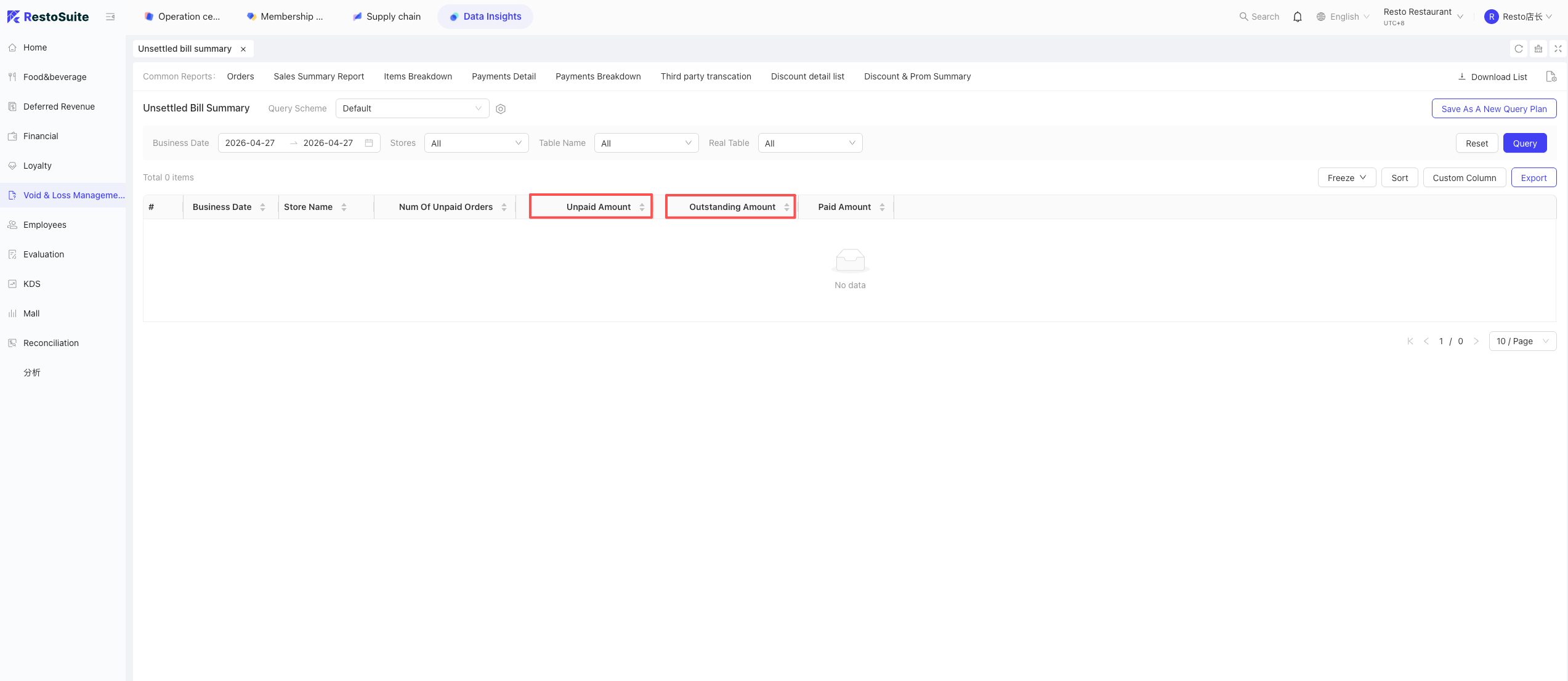
14 What is the difference between Unsettled Amount and Outstanding (Pending) Amount?
- Unsettled Amount: The total amount of orders whose status is “Incomplete.”
- Outstanding (Pending) Amount: The remaining balance after deducting the partially paid amount from unsettled orders.
- Logic: Unsettled = Outstanding + Settled (Partial).